
AngelLight Review: European Hosting Confidence With Checkout Caveats

“

Moving a business site feels risky when renewal costs, migration details, and the refund window are not fully spelled out. AngelLight matters for small European businesses and resellers seeking Strasbourg-based hosting, familiar control panels, allocated VPS resources, and several support routes. This AngelLight review compares shared hosting, VPS packages, and dedicated servers while separating published uptime claims from contractual guarantees. It also highlights the billing, operating-system, location, and refund questions worth confirming before you commit.

Last Updated: August 5, 2026
Written by:
Ana Ciochia
4.6/5
Excellent
Pricing
Managed VPS 55€ - 72.25€/mo
Shared Web Hosting 60€ - 147€/yr
Dedicated Server 126€ - 248€/mo
Server Locations
Strasbourg Strasbourg
Quick Navigation

AngelLight at a Glance

Performance GradeExcellent
Hosting TypesShared Web Hosting, Managed VPS, Dedicated Server
RAM3 GB
Storage33 GB
Bandwidth1 TB monthly
CPU1 processing core
Starting Price 55€/mo

AngelLight Strengths and Trade-Offs for Small Businesses

Pros

  • Strasbourg infrastructure gives European businesses a clearly identified hosting location.
  • Shared hosting offers familiar cPanel or DirectAdmin control-panel choices.
  • VPS packages publish allocated processing, memory, storage, bandwidth, and backup resources.
  • Live chat, support tickets, and Level 1 phone support provide several ways to request help.
  • WHMCS integration and remote domain controls suit hosting and domain resellers.
  • Shared, VPS, and dedicated options create a practical upgrade path for growing workloads.

Cons

  • Separate renewal prices for hosting and servers are not identified.
  • The shared-hosting refund option has no published eligibility period or processing timeline.
  • Marketing uptime figures are not backed by a published contractual SLA or service-credit policy.
  • Only Strasbourg is specifically confirmed as a server location.

Choosing AngelLight Hosting Without Costly Surprises
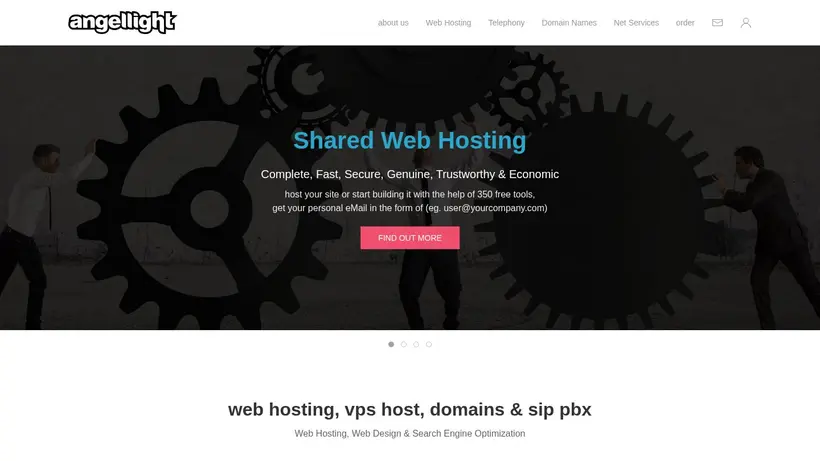
AngelLight hosting deals homepage promo codes page screenshot
Moving a business website is uncomfortable for a simple reason: the site may look small, but the consequences of getting the move wrong are not. A missed email can lose a lead. A broken checkout can interrupt revenue. A domain renewal mistake can become a much larger problem than the hosting bill. The anxiety grows when the renewal amount, migration scope, refund eligibility, or uptime remedy is not completely clear before checkout.

This AngelLight review approaches that decision from a small-business owner’s side of the desk. AngelLight combines shared hosting, VPS packages, dedicated servers, domain services, SSL certificates, and reseller tools. Its specifically identified hosting location is the datadock facility in Strasbourg, France. Shared hosting offers familiar cPanel or DirectAdmin choices, while the documented VPS range provides increasing processing, memory, storage, bandwidth, and backup allocations. Live chat, support tickets, and Level 1 phone assistance create several routes for asking for help.

That combination can feel reassuring. You are not choosing between a tiny starter account and an immediate move to unfamiliar infrastructure. There is a visible path from a small shared plan to allocated VPS resources, then to dedicated hardware. Resellers also receive more attention than a token affiliate page: AngelLight documents WHMCS integration, remote domain operations, private API connectivity, notifications, and a customer-facing reseller system. The central appeal is a traditional hosting relationship with room to expand.

The hesitation sits around the edges of that relationship. Several advertised rates depend on longer billing cycles. Separate renewal prices are not identified. Shared-hosting customers are offered an early-termination refund for a justified reason, but no exact money-back period, exclusion list, or processing timeline is stated. AngelLight publishes uptime and network-availability claims, yet no contractual SLA, measurement method, or service-credit policy is identified. VPS pages reference CentOS versions, though a complete current OS catalog is not published.

None of those questions automatically makes AngelLight a poor choice. They change how you should buy. This review follows a practical track: first, what makes the service reassuring for a small European business or reseller; second, which product family fits each workload; third, where the commitment becomes more technical; finally, which details deserve written confirmation before money or customer data moves. The goal is confidence without pretending every uncertainty has disappeared.

Why AngelLight Can Reassure Cautious Buyers

Picture an owner preparing to move a company site on a quiet weekend. The pages are backed up, but email still worries them. The domain points to the old account. A developer is available for only part of the day. The owner does not need another sales promise; they need to know where the service lives, which dashboard they will use, how growth will work, and where to ask for help if the plan changes.

AngelLight answers several of those questions more concretely than a provider built around a single anonymous plan. Its catalog covers small shared accounts, progressively larger VPS packages, dedicated servers, domains, SSL products, and reseller services. That breadth matters because the safest hosting move is often the one that avoids another forced migration six months later. You can begin with the workload you have, then see a documented route upward.

A European Home With Clear Geography

Server location can sound abstract until a business thinks about its actual customers. A consultancy serving France, Germany, Belgium, or nearby markets may prefer European infrastructure for practical geographic reasons. AngelLight specifically identifies datadock in Strasbourg, France, as its hosting datacenter. The facility is described as connecting through several internet service providers and optical-fiber links. The provider also publishes network-availability and uptime statements for its services.

The useful buying point is not to turn those statements into a guaranteed result. It is to recognize that Strasbourg is a concrete location you can evaluate. If most visitors are in Europe, the placement may fit naturally. If customers are concentrated in North America, Asia, or another distant region, location becomes a question to test rather than a reason to assume. Only Strasbourg is specifically confirmed as hosting infrastructure; AngelLight’s London business address and international contact numbers should not be interpreted as additional server locations.

A small online store offers a good example. Its owner may see traffic from several European countries, use a familiar control panel, and want the host close enough to the main audience. Strasbourg could be a sensible starting point. The same store targeting customers primarily on another continent should run geographic tests before changing DNS. No independent page-speed or load-test results are available here, so audience fit should be verified with your own staging site.

This is a manageable caveat. Ask where the selected plan will actually run. Build or copy the site to a temporary address. Test important pages from the regions that produce customers. Check the storefront, account login, payment flow, and administration area rather than relying on a homepage score alone. That simple exercise converts “European hosting” from a sales label into a business decision.

Traditional Controls Reduce Migration Shock

A new hosting dashboard can create more stress than a modest business expects. The owner may know how to create an email account or database in the old panel, then feel lost when the same task has a different name after migration. AngelLight’s shared-hosting material presents cPanel or DirectAdmin choices. Its service material also describes a central Service Panel for viewing and administering services, including domain operations.

That conventional approach will appeal to buyers who prefer recognizable tools over a highly customized hosting interface. A freelancer already familiar with cPanel may value keeping that workflow. A budget-conscious owner may prefer DirectAdmin. A reseller using WHMCS may care more about remote domain administration and customer controls. Familiar software lowers the learning risk, though it does not remove migration work.

If you are moving an existing site, confirm the panel before ordering. Control-panel licenses, available versions, included tasks, and transfer procedures can differ by product. Ask whether AngelLight performs the migration, assists while your developer performs it, or only provides the destination account. Clarify whether website files, databases, mailboxes, filters, DNS records, SSL configuration, scheduled tasks, and account permissions are included. Those details are not published as a complete migration package.

AngelLight says hosting packages can be upgraded and describes moving a VPS to a new server while retaining its dedicated IP without interruption. That is encouraging for future growth. It does not establish that every incoming migration is free, fully managed, or riskless. The safer read is that the platform supports change, while the exact labor and responsibility should be agreed before the move.

For a small business, write the migration plan in plain language. Who creates the backup? Who checks it? Who lowers DNS timing? Who validates email? Who has authority to request support? Who decides whether to roll back? Five clear names and tasks can prevent an evening of finger-pointing. AngelLight’s familiar panels help, but preparation remains the buyer’s best protection.

Reseller Tools Go Beyond Basic Hosting

A reseller faces a different kind of anxiety. The infrastructure matters, but so does the experience presented to customers. A domain agency does not want every routine registration, renewal, or transfer to become a manual exchange between three parties. It also does not want its upstream provider appearing unexpectedly inside the customer journey.

AngelLight documents a WHMCS registrar module for remote domain management. Published functions include registration, renewal, transfers, order notifications, cost and credit-balance visibility, and customer management through WHMCS. Its reseller material also describes private API connectivity and a DNR system that can be integrated into a reseller’s site. That system is presented as concealing AngelLight’s identity while allowing the reseller’s customers to search, order, and pay through the reseller business.

This is a meaningful reason to consider AngelLight if domains are part of your service model. The tools address the routine operational work that can consume an agency’s time. They also create continuity between domains, hosting, SSL products, and related services. A web designer could potentially keep several client needs within one provider relationship rather than coordinate unrelated vendors for every order.

The practical question is whether the current implementation matches your business. Confirm supported WHMCS versions, module licensing, installation steps, ionCube requirements, API authentication, available domain extensions, payment flow, branding controls, and escalation procedures. Ask how failed registrations or renewals appear in WHMCS. Test notifications. Decide whether customers contact your business first or whether some matters go directly to AngelLight.

Domain renewals deserve special attention. AngelLight’s terms explain that payment alone does not necessarily establish that a domain has been renewed. The customer should verify completion through a renewal confirmation, the Service Management Panel, the applicable registry, or WHOIS information. Users are advised to renew before the final day rather than rely on a last-minute payment. For a reseller, that is not a minor administrative note. A missed client domain can damage both the client’s business and the reseller’s reputation.

A sensible reseller workflow would separate payment from completion. Record the customer’s payment, submit the renewal, wait for confirmation, verify the new expiration information, then close the task. If confirmation does not arrive, escalate immediately. Automation should reduce work, not hide whether the critical action completed.

The reseller proposition therefore feels strongest for an established WHMCS operator willing to configure and monitor the integration. A first-time reseller can still consider it, but should not assume that software replaces operating procedures. The tools create leverage. Responsibility remains.

AngelLight also gives small businesses several support routes around these workflows. It lists live chat, support tickets, and Level 1 phone support through its United Kingdom base, with contact numbers published for the United Kingdom, Greece, and the United States. Shared hosting is promoted with round-the-clock support. Account help may be limited to the owner or authorized administrators in the Service Management Panel, which makes advance access setup important.

Imagine a developer discovering a DNS problem during migration, then learning they are not authorized to discuss the account. The security rule is reasonable; the timing is painful. Add authorized administrators before the change window. Keep the owner reachable. Use tickets for technical matters that need a written history. Use chat or Level 1 phone assistance for quicker navigation and account questions where appropriate. The best support channel is the one prepared before the emergency.

Taken together, Strasbourg infrastructure, conventional control panels, multiple service tiers, reseller tooling, and several contact routes create a credible confidence case. AngelLight is not trying to be only a one-click beginner host or only a raw server vendor. It sits in a more traditional middle ground: practical controls, explicit resources, business services, and human contact options. That positioning can suit owners who value continuity and are comfortable confirming operational details.

Choose the Right Plan Before Committing

The checkout decision becomes harder when every larger plan looks safer. An owner fears buying too little, then pays for resources the site may never use. Another chooses the lowest displayed rate without noticing the longer billing commitment behind it. The right AngelLight plan is not simply the cheapest or largest one. It is the smallest documented plan that can support the real workload, expected growth, maintenance skills, and acceptable commitment.

Start with a short inventory. Count active websites, databases, mailboxes, background tasks, and expected visitors. Record current storage use and backup needs. Identify software requirements. Decide where most customers live. Note who will manage updates, migrations, DNS, monitoring, and recovery. Then match those answers to shared hosting, VPS, or dedicated hardware. Plan from the workload outward, not from the product name inward.

Shared hosting is the sensible first stop for a modest website that does not need server-level control. AngelLight’s Earth plan documents one website, one database, 720 MB of storage, and 2.16 GB of backup space. That is a narrow allocation, making it better suited to a genuinely small site than to a media-heavy catalog or a business expecting several installations. Before selecting it, inspect the current site rather than guessing. Website files, databases, logs, and email can consume more space than the visible pages suggest.

Sound raises the documented allocation to two websites, three databases, 2.1 GB of storage, and 6.3 GB of backup space. For a small business maintaining a main site plus a separate campaign or secondary brand, that extra room may reduce immediate upgrade pressure. Light reaches three websites, six databases, 4.5 GB of storage, and 13.5 GB of backup space. It can fit a small multi-site setup, provided the actual applications remain within those limits.

The visible boundaries are helpful because they force an honest conversation. A buyer cannot treat “unlimited” as a substitute for capacity planning. At the same time, the published shared allocations are modest. A WordPress site with a large media library, multiple staging copies, or bulky email storage may need careful calculation. Confirm how backup space is used, whether it is customer-accessible, what retention applies, and whether restores are included. The existence of backup capacity does not by itself explain the recovery process.

Billing term changes the shared-hosting decision. Earth is listed at 60 € for one year, 39 € for six months, or 24 € for three months. Sound is listed at 81 €, 45 €, or 30 € for those respective terms. Light is listed at 147 €, 90 €, or 51 €. The longer term lowers the effective monthly cost, while the shorter term reduces the commitment. Separate renewal prices are not identified.

For a stable brochure site that has already been tested on AngelLight, an annual term may be reasonable. For a first migration with uncertain storage or application requirements, a shorter initial term may be worth the higher effective rate. Flexibility has a price, but so does being locked into the wrong fit. Ask for the full amount due at checkout, applicable taxes, control-panel charges, setup fees, and the next renewal total.

The refund option should not replace that check. AngelLight states that shared-hosting customers may end service early and receive a refund for a justified reason. No exact money-back period, eligibility timetable, exclusion list, or processing schedule is published. Do not describe or treat this as a fixed-day guarantee. Ask what qualifies as a justified reason, which charges can be refunded, how a request must be submitted, and how long processing normally takes. If the answer affects your willingness to migrate, obtain it before ordering.

VPS hosting becomes the better conversation when shared limits no longer fit, an application needs allocated resources, or a reseller workload requires more room. AngelLight’s xRay package lists one processing core, 3 GB RAM, 33 GB storage, 1 TB monthly bandwidth, and 99 GB backup space. It is listed at 55 € per month on a one-year cycle, 62.67 € per month on a six-month cycle, and 73 € per month on a three-month cycle.

The next documented VPS, named AngelLight, increases capacity to two processing cores, 6 GB RAM, 51 GB storage, 2 TB monthly bandwidth, and 153 GB backup space. Its listed monthly figures are 72.25 € on a one-year cycle, 83 € on a six-month cycle, and 94 € on a three-month cycle. The progression is easy to understand: more processing, memory, storage, transfer allowance, and backup capacity for a higher commitment.

The largest documented VPS lists four processing cores, 9 GB RAM, 84 GB storage, 3 TB monthly bandwidth, and 252 GB backup space. An exact reliable price is not published, so it should be treated as a quote-required option. Do not infer its cost from the lower packages. Ask for the current price, billing term, renewal amount, and included management before comparing it with the other VPS choices.

A practical VPS decision begins with the bottleneck. If the current site runs out of memory during busy periods, focus on RAM. If a reseller stores many accounts, examine storage, backup process, and account isolation. If an application transfers large files, check bandwidth and overage handling. If database or application work needs more processing, compare cores alongside the software design. More of every resource is comforting, but only the limiting resource solves the actual problem.

The operating system requires confirmation. AngelLight’s VPS material references CentOS 7 or 8 and lists cPanel, DirectAdmin, Plesk, or Vesta. A complete current OS image catalog is not identified. Some referenced software may not match every buyer’s current security, compatibility, or lifecycle requirements. Ask which versions are available now, which control panels can be licensed on the selected OS, who applies security updates, and whether rebuilding or changing the OS carries a charge.

The same caution applies to the word “managed.” The product table groups these as managed VPS packages, but a complete task-level management scope is not published. If you do not have a sysadmin, ask whether management includes initial hardening, OS updates, control-panel updates, firewall configuration, malware response, backup monitoring, restore work, application troubleshooting, and emergency recovery. A provider may support the server while leaving the website application to the customer. That can be perfectly reasonable, provided both sides understand the boundary.

Consider a growing online business moving from shared hosting after repeated resource pressure. xRay may look like the safe first VPS because it creates dedicated room without jumping directly to a larger system. Yet the business should review its current memory use, storage growth, database activity, and traffic before deciding. If the workload already approaches the xRay allocation, the next package may avoid another migration. If the site remains light and the owner lacks server skills, better shared hosting or a clearly managed VPS arrangement may be easier to maintain.

Dedicated servers are for a different commitment. AngelLight documents three configurations. The eCommerce server is listed at 126 € per month on a one-year cycle, with an Intel Xeon E5 2620 v3, six cores, 32 GB DDR4 ECC RAM, two 512 GB SSDs, and Software RAID I. The VPN server is listed at 205 € per month on a one-year cycle, with two Intel Xeon E5 2620 v3 processors, twelve cores, 64 GB ECC RAM, two 2 TB hard drives, and Software RAID I. Enterprise is listed at 248 € per month on a one-year cycle, with two AMD Opteron 6272 processors, thirty-two cores, 32 GB ECC RAM, two 2 TB hard drives, and Hardware RAID I.

Those plans should be compared by workload, not by ascending price. The eCommerce configuration combines SSD storage with its documented processor and memory, which may fit a workload valuing storage responsiveness. The VPN configuration provides more documented memory and hard-drive capacity. Enterprise documents the largest core count among the three and hardware RAID. No independent benchmark establishes which is fastest for a particular application. Older and newer processor designs can behave differently depending on the software, so core count alone is not a performance verdict.

Before ordering dedicated hardware, ask for the current exact configuration, replacement process, management boundary, network allowance, IP allocation, backup arrangement, control-panel licensing, security responsibilities, and migration plan. AngelLight’s datacenter page states that failed hardware parts are replaced in less than four hours. That is useful infrastructure information, but it does not mean every application will recover within the same period. Data restoration, operating-system work, configuration, and DNS may extend the customer-facing incident.

A dedicated server makes sense when the business can explain why shared hosting and VPS resources are insufficient. It may suit a heavier application, multiple hosted accounts, or a specialized workload with known hardware requirements. It is harder to justify as an emotional purchase made solely to avoid sharing infrastructure. Dedicated hardware adds control and responsibility at the same time.

AngelLight’s domain, SSL, and reseller services can make the provider more useful than the server plan alone. A business that wants domains and hosting under one service relationship may value the Service Panel. An agency using WHMCS may value remote domain operations, notifications, and customer-facing reseller tools. These benefits can reduce administrative sprawl, but they also increase the importance of account security and renewal procedures.

Assign at least two authorized people where appropriate, while limiting privileges to those who need them. Store recovery information securely. Keep billing contacts current. Verify domain renewals after payment. Record which person owns DNS, hosting, application updates, and customer communication. AngelLight’s terms allow support to focus on the owner or authorized administrators shown in the panel, so outdated access details can slow help at exactly the wrong time.

Uptime claims also belong in the final decision, though they should be read carefully. AngelLight markets 99.9% uptime for shared hosting, more than 99.9% network availability, more than 99.99% average VPS service uptime, and 100% network uptime through multiple provider connections. These are specific published claims. No contractual SLA, measurement method, exclusion rules, or service-credit schedule is identified.

If uptime is important but occasional risk is acceptable, ask how the figures are measured and monitor the service independently after launch. If your procurement policy requires an enforceable SLA with credits, obtain the applicable contract before purchase. A marketing percentage and a contractual remedy answer different questions. One describes positioning. The other defines what happens when the target is missed.

The safest checkout process is short enough to use. First, confirm the exact plan and server location. Second, confirm the billing term, amount charged now, renewal amount, taxes, setup charges, and control-panel costs. Third, confirm migration ownership, timing, validation, and rollback. Fourth, confirm the current OS, management scope, backup process, and restore responsibility. Fifth, request the applicable refund and uptime terms in writing. Five checks now can prevent five expensive assumptions later.

AngelLight is strongest when the buyer values Strasbourg-based infrastructure, conventional control panels, visible resource allocations, and a path from shared hosting to VPS or dedicated hardware. It becomes especially interesting for WHMCS-based domain or hosting resellers. It is less suitable for someone who requires a clearly published contractual SLA, a fixed refund window, confirmed infrastructure outside Strasbourg, or a fully documented current VPS software catalog before making contact.

For a small European website, begin with the shared tier that fits measured storage, website, and database needs. Sound may offer a useful middle position for a business needing more than one site without moving immediately to VPS hosting. For a growing application or reseller account, compare xRay with the larger AngelLight VPS using actual RAM, storage, and transfer requirements. Choose dedicated hardware only when the workload justifies its annual commitment and operational responsibility.

The final answer is conditional but positive. AngelLight is worth considering when its European location and traditional hosting stack match your business. Its product ladder, support routes, control-panel choices, allocated VPS resources, and reseller tools create a credible buying case. Confidence comes from confirming the remaining details rather than ignoring them. Verify renewal, refund, SLA, OS, migration, and management terms before committing. Then choose the smallest plan that safely fits the work in front of you.


Performance: Reassuring Resources, Sensible Questions 4.6/5

The uncomfortable moment comes when a customer opens your site during a promotion and every pause feels expensive. AngelLight publishes several encouraging performance claims, but the safest buying decision separates those claims from independently measured results. Shared hosting is marketed with 99.9% uptime, while the VPS pages state more than 99.99% average service uptime and 100% network uptime. AngelLight also describes network availability above 99.9% through multiple internet service providers. Those figures are provider claims, not a contractual SLA, because no measurement method, exclusion list, service-credit schedule, or enforceable guarantee is published. For a small business, the more useful signal is how clearly resources match the workload. The shared plans progress from one website and one database on Earth to three websites and six databases on Light. Storage and backup allocations rise with each step. That makes capacity planning more concrete than a vague promise of “unlimited” hosting. AngelLight emphasizes allocated or “authentic” resources, which may reassure an owner tired of unclear fair-use language. Clear limits can be easier to budget around than generous wording with hidden ceilings. The VPS range gives a stronger planning path. xRay lists one processing core, 3 GB RAM, 33 GB storage, 1 TB monthly bandwidth, and 99 GB backup space. The next documented package increases those allocations to two processing cores, 6 GB RAM, 51 GB storage, 2 TB monthly bandwidth, and 153 GB backup space. The largest documented VPS lists four processing cores, 9 GB RAM, 84 GB storage, 3 TB monthly bandwidth, and 252 GB backup space. This graduated capacity is the strongest practical performance argument: you can select resources around an actual application rather than buy from a loose label. Location still matters. AngelLight identifies datadock in Strasbourg, France, as its hosting datacenter. That is a sensible geographic fit for many European audiences, but buyers serving distant regions should test latency for their own visitors before moving production traffic. Only Strasbourg is specifically confirmed as hosting infrastructure. No independent speed tests, application benchmarks, load tests, or current shared-server hardware breakdowns are available here, so this review does not claim measured page-load results. The practical question is whether published capacity and European placement match your site. AngelLight offers a credible performance foundation for appropriately sized European workloads, particularly when moving from shared hosting to allocated VPS resources. The gentle caution: ask for the applicable uptime terms, confirm the exact server configuration, then run your own prelaunch checks. That balance supports a confident 4.6 score without turning marketing language into a guarantee.

Features: Room to Grow Without Guesswork 4.7/5

Growth feels exciting until your hosting account becomes the thing holding it back. A small business may begin with one brochure site, then add another brand, a client portal, more databases, or reseller services. AngelLight gives that buyer a broad path across shared hosting, VPS, dedicated servers, domains, SSL certificates, and reseller tools. The useful part is continuity: several related services can sit within the same provider relationship instead of forcing an immediate move to a completely different stack.

Shared Hosting With Visible Boundaries

AngelLight’s shared plans use explicit allocations rather than relying only on the word “unlimited.” Earth documents one website, one database, 720 MB storage, and 2.16 GB backup space. Sound raises that to two websites, three databases, 2.1 GB storage, and 6.3 GB backup space. Light supports three websites and six databases with 4.5 GB storage and 13.5 GB backup space. These are modest, traditional hosting allocations, but they make the upgrade decision understandable. You can see the ceiling before your site reaches it. Control-panel choice adds familiarity. AngelLight presents cPanel or DirectAdmin options for shared hosting, while its wider material also references a Service Panel for managing services and domain operations. Familiar controls reduce the risk of feeling trapped, especially for an owner or freelancer already comfortable with conventional hosting tools.

VPS Capacity That Scales Clearly

The VPS packages provide a visible climb in processing cores, RAM, storage, bandwidth, and backup space. That matters when a dynamic site, reseller account, or application needs more predictable capacity than shared hosting. The documented packages range from one to four processing cores, with corresponding increases in memory and storage. Hostname SSL certificates and control-panel choices are also referenced for these VPS packages. The caveat concerns software currency. The published VPS material references CentOS 7 or 8 and names cPanel, DirectAdmin, Plesk, or Vesta. A complete current operating-system catalog is not published. Before ordering, confirm which OS images, versions, licenses, management tasks, and security updates are currently available. “Managed VPS” can mean different things to different providers, so ask what operational work is included rather than assuming.

Reseller Tools With Practical Depth

AngelLight becomes more distinctive for domain and hosting resellers. It documents a WHMCS registrar module, remote domain registration and renewal, transfer controls, order notifications, cost and balance visibility, a private API, and a DNR reseller system that can be integrated into a reseller’s website. The DNR system is described as concealing AngelLight’s identity, while customers can search, order, and pay through the reseller’s business. That reseller layer is more than a decorative add-on; it addresses routine administration and customer ownership. Still, integration requirements, current compatibility, licensing terms, and implementation assistance should be confirmed. Overall, AngelLight offers meaningful growth routes for small businesses and resellers. Its documented breadth, allocated VPS steps, and domain-management tools justify a confident 4.7, with current OS and managed-service details remaining sensible pre-purchase questions.

Ease of Use: Familiar, Though Not Effortless 4.5/5

Setup friction rarely announces itself at checkout. It appears later, when an owner has to choose a control panel, move email, point a domain, verify a renewal, or decide whether a server task is included. AngelLight reduces some of that uncertainty through familiar tools, but it does not publish enough migration and management detail to promise a hands-off experience. The safest expectation is traditional control-panel hosting, not an invisible, fully automated service. For shared-hosting buyers, cPanel or DirectAdmin can make the account feel recognizable from day one. Both are established control-panel choices, useful for common hosting administration such as websites, databases, and email. AngelLight also describes a Service Panel that gives customers a view of their services and supports domain operations. If you already know conventional hosting dashboards, the structure should feel less intimidating than managing everything directly from a server command line. Familiar does not mean identical, so ask for a current dashboard preview if workflow matters to you. Plan selection is reasonably understandable because the shared and VPS tiers publish concrete limits. A one-site owner can distinguish Earth from the larger shared options without decoding vague labels. VPS buyers can compare processing cores, RAM, storage, bandwidth, and backup allocations in a direct progression. Visible ceilings make setup decisions easier: you can match a plan to the number of sites and expected workload instead of buying extra capacity solely from fear. The reseller experience has more moving parts, but AngelLight documents tools designed to reduce repetitive work. Its WHMCS registrar module supports remote domain management, while reseller controls cover registration, renewal, transfers, notifications, costs, balances, and renewal-cycle choices. A private API and DNR reseller system are also described. For an established WHMCS user, that can keep domain administration closer to an existing workflow. For a first-time reseller, however, API credentials, module installation, ionCube requirements, branding, payment flow, and customer handoff may still require technical attention. Migration is the main area to clarify. AngelLight says customers can upgrade hosting packages and transfer a VPS to a new server while maintaining the dedicated IP without interruption. That is reassuring, but migration pricing, eligibility, scheduling, application compatibility, email handling, DNS work, rollback procedures, and detailed limits are not published. Do not assume every migration task is included. Ask who copies the data, who validates the site, and what happens if the application fails after the move. Account administration also deserves care. AngelLight’s terms say support may be limited to the owner or authorized administrators recorded in the Service Management Panel. Domain renewals should be verified through confirmation, the panel, registry records, or WHOIS information rather than assumed complete after payment. That creates a little extra responsibility, though it can also protect account control. The practical question is whether you have basic hosting confidence or access to someone who does. AngelLight looks approachable for buyers familiar with cPanel, DirectAdmin, or WHMCS. Its 4.5 ease score reflects useful familiar tools plus real setup questions, especially around migration, current OS choices, and the scope of server management.

Support: Several Routes When You Need Reassurance 4.7/5

A dashboard feels simple until a site, mailbox, renewal, or DNS change stops behaving as expected. At that moment, the buyer does not want a slogan about “fanatic support”; they want a clear route to a person who can understand the problem. AngelLight lists live chat, support tickets, and Level 1 phone support through its United Kingdom base. Its contact information also includes call-center numbers for the United Kingdom, Greece, and the United States. Having several published contact routes is reassuring, particularly for a small business that may prefer a call for a basic question and a ticket for a technical issue.

Choosing the Right Help Route

AngelLight describes support tickets as the most effective support method with a minimum response time, while live chat is positioned for guidance with the website and systems. Phone assistance is specifically described for Level 1 questions. That distinction helps set expectations: a quick account or navigation question may fit chat or phone, while a server, migration, billing, or domain issue is more likely to need a written ticket trail. Shared hosting is promoted with 24/7 support. Still, no guaranteed initial-response time, resolution target, escalation schedule, or support SLA is published. Availability and guaranteed speed are different promises. Buyers with revenue-sensitive workloads should ask how urgent incidents are prioritized, whether advanced server work is included, and what happens outside normal business hours. AngelLight’s datacenter material also states that failed hardware parts are replaced in less than four hours. That is a specific infrastructure-support claim, not a promise that every customer incident will be fully resolved within the same period. Keep hardware response separate from application recovery, since restoring a site can involve software, data, DNS, or configuration work after the physical issue is addressed.

Account Access Protects Both Sides

The terms explain that support may be provided only to the service owner or authorized administrators shown in the Service Management Panel. That can feel inconvenient when an outside developer calls unexpectedly, but the rule serves a practical security purpose. Add the right administrator before an emergency, keep account details current, and decide who in the business can approve changes. This matters especially for agencies and resellers. AngelLight documents WHMCS tools, remote domain management, notifications, and reseller controls, but partners should still define who handles end-customer support and who escalates platform issues. A clear responsibility map prevents the classic “everyone thought someone else had it” problem. If you do not have a sysadmin, ask direct questions before purchase: Does the chosen server include operating-system updates? Who handles control-panel problems? Is migration assistance included? Can support restore data from the documented backup allocation? Are application-level fixes billable? These questions do not signal a weak service; they prevent a mismatch between “support available” and “task included.” AngelLight earns a strong 4.7 for publishing chat, ticket, and phone options, promoting round-the-clock shared-hosting support, and supporting reseller workflows. The measured caveat is the absence of detailed response guarantees and a clearly defined managed-service scope. The support routes inspire confidence, provided responsibilities are confirmed early.

Pricing: Fair Choices Need Term Clarity 4.5/5

The first bill should feel explainable, not like a puzzle solved after checkout. AngelLight publishes euro prices across shared hosting, VPS packages, and dedicated servers, but several attractive monthly figures depend on a longer commitment. The headline price only makes sense beside its billing cycle. For a small business, cash flow matters as much as the nominal rate, so compare the amount charged, the service period, and the next renewal before treating any plan as “cheap hosting.” Shared hosting illustrates the trade-off clearly. Earth is listed at 60 € for one year, 39 € for six months, or 24 € for three months. Sound is listed at 81 € for one year, 45 € for six months, or 30 € for three months. Light is listed at 147 € for one year, 90 € for six months, or 51 € for three months. Longer terms produce a lower effective monthly cost, while shorter terms reduce the initial commitment. The lower rate rewards certainty; the shorter term buys flexibility. The VPS pricing follows the same logic. xRay is listed at 55 € per month on a one-year cycle, 62.67 € per month on a six-month cycle, and 73 € per month on a three-month cycle. The AngelLight VPS is listed at 72.25 €, 83 €, and 94 € per month across those respective cycles. Those differences can become meaningful over a full commitment. The larger documented VPS has published resources but no reliable exact price, so it should be treated as a quote-required option rather than included in a lowest-price comparison. Dedicated-server figures are monthly prices tied to a one-year cycle. The documented eCommerce, VPN, and Enterprise options are listed at 126 €, 205 €, and 248 € per month respectively. Their hardware differs substantially, making workload fit more important than selecting the lowest figure. Do not pay for cores, memory, or storage your application cannot use; start from operational requirements, then compare the matching server. Separate renewal prices are not identified for hosting or servers. Setup fees, applicable taxes, and migration charges are also not published in the available details. Ask for the full checkout total and renewal amount in writing. AngelLight’s terms also make domain-renewal confirmation important: payment alone does not necessarily prove that a domain renewal completed. Verify the confirmation in the Service Management Panel, registry record, or applicable WHOIS information. Refund language offers some reassurance but needs clarification. AngelLight says shared-hosting customers may terminate early and receive a refund for a justified reason. No exact money-back period, eligibility schedule, exclusion list, or processing timeline is stated. Therefore, this review cannot call it a fixed-day money-back guarantee. Confirm what counts as a justified reason before committing, particularly if migration uncertainty is driving the purchase. Use the Product Plans table to compare the documented resource allocations and billing labels. Then verify renewal, tax, setup, refund, and migration terms directly at checkout. AngelLight’s published term choices give buyers useful flexibility, but missing renewal and refund specifics keep pricing at a measured 4.5. The value can be fair. The commitment must be understood first.

Which AngelLight Hosting Plan Fits Your Business?

Choosing an AngelLight plan can feel less like shopping and more like predicting the next stage of your business. Start with the workload you already have: compare storage, backup allocation, website and database limits, RAM, processing cores, and monthly bandwidth. Shared hosting suits smaller sites with modest allocations. The documented VPS packages add progressively larger allocated resources, while dedicated servers address workloads with specific hardware requirements. Buy for the current bottleneck plus reasonable growth, not for the largest product name.

The practical question is how long you are comfortable committing. Shared hosting offers several billing terms, while listed VPS and dedicated monthly rates can depend on an annual cycle. Separate renewal figures are not identified. Before ordering, confirm the total charged at checkout, renewal amount, taxes, setup or migration charges, control-panel licensing, current operating system, management scope, and backup restoration process. A lower displayed rate only creates value when the term and upkeep still fit your budget.

Shared Web Hosting

Earth

Small Site
60€/yr

Source price; renewal not listed.

  • Storage720 MB
  • Backup2.16 GB
  • Websites1
  • Databases1
Get Deal

Sound

Growing Site
81€/yr

Source price; renewal not listed.

  • Storage2.1 GB
  • Backup6.3 GB
  • Websites2
  • Databases3
Get Deal

Light

Multi-Site
147€/yr

Source price; renewal not listed.

  • Storage4.5 GB
  • Backup13.5 GB
  • Websites3
  • Databases6
Get Deal

Managed VPS

xRay

VPS Entry
55€/mo

Source price; renewal not listed.

  • CPU1 processing core
  • RAM3 GB
  • Storage33 GB
  • Bandwidth1 TB monthly
  • Backup99 GB
Get Deal

AngelLight

More Capacity
72.25€/mo

Source price; renewal not listed.

  • CPU2 processing cores
  • RAM6 GB
  • Storage51 GB
  • Bandwidth2 TB monthly
  • Backup153 GB
Get Deal

84 GB VPS

Largest VPS

Not listed in source.

  • CPU4 processing cores
  • RAM9 GB
  • Storage84 GB
  • Bandwidth3 TB monthly
  • Backup252 GB
Check Price

Dedicated Server

eCommerce

SSD Server
126€/mo

Source price; renewal not listed.

  • CPUXeon E5 2620 v3
  • Cores6
  • RAM32 GB DDR4 ECC
  • Storage2 x 512 GB SSD
  • RAIDSoftware RAID I
Get Deal

VPN

High Memory
205€/mo

Source price; renewal not listed.

  • CPU2 x Xeon E5 2620 v3
  • Cores12
  • RAM64 GB ECC
  • Storage2 x 2 TB HDD
  • RAIDSoftware RAID I
Get Deal

Enterprise

Most Cores
248€/mo

Source price; renewal not listed.

  • CPU2 x AMD Opteron 6272
  • Cores32
  • RAM32 GB ECC
  • Storage2 x 2 TB HDD
  • RAIDHardware RAID I
Get Deal

AngelLight Makes Sense After Five Checkout Checks

A small-business owner considering AngelLight usually faces one central worry: can the site move safely without unclear renewal costs, refund eligibility, or migration duties becoming expensive surprises? The reassuring answer is that AngelLight offers a credible path across shared hosting, VPS packages, and dedicated servers, backed by familiar control panels, a specifically identified Strasbourg datacenter, reseller tools, live chat, tickets, and Level 1 phone support. The buying case is positive when its European location and traditional hosting approach match your business.

How this review was evaluated: the assessment compares published plan allocations, billing cycles, infrastructure statements, support routes, refund language, control-panel options, and reseller functions. It does not claim hands-on speed testing, migration testing, or support-response measurements. Marketing uptime statements were considered separately from a contractual SLA because no measurement method, service-credit schedule, or contractual remedy is identified.

Best for: small European businesses wanting cPanel or DirectAdmin hosting; growing sites needing a documented route into allocated VPS resources; WHMCS-based domain or hosting resellers; owners wanting domains, hosting, and SSL services under one provider relationship. For a modest site, compare Earth, Sound, and Light against measured storage, website, and database use. Sound is the practical middle choice when one site is too restrictive but VPS hosting would add unnecessary upkeep. Growing applications should compare xRay with the AngelLight VPS using actual RAM, storage, processing, bandwidth, and backup needs. Dedicated hardware should follow a demonstrated workload requirement.

Compared with the alternatives inside AngelLight’s catalog, shared hosting minimizes administration but has modest allocations. VPS hosting adds clearer resource capacity but requires confirmation of the current OS and management scope. Dedicated servers provide hardware-level capacity while increasing cost, commitment, and operational responsibility. The safest choice is the smallest plan that supports current use plus reasonable growth.

Not for: buyers requiring a fixed refund window, a published contractual uptime SLA with service credits, confirmed hosting locations outside Strasbourg, separately stated renewal prices, or a complete current VPS OS catalog before contacting sales. If any of those conditions are mandatory, pause until AngelLight confirms them in writing.

AngelLight is worth considering. Its product ladder, support routes, conventional controls, allocated VPS resources, and reseller functions can give a cautious owner real confidence. Before committing, confirm the renewal amount, refund eligibility, applicable uptime terms, current OS, management boundary, migration responsibilities, taxes, and setup charges. Those checks resolve the reader’s main risk: committing to a longer term before the true cost and maintenance burden are understood.

Frequently Asked Questions about AngelLight

Practical answers for buyers comparing AngelLight hosting, VPS, support, billing, and reseller services.

Where are AngelLight servers located?
AngelLight specifically identifies datadock in Strasbourg, France, as its hosting datacenter. That location may suit businesses whose customers are mainly in Europe, but geography alone does not guarantee a particular page-loading result. AngelLight’s London address and international phone numbers are business contact details, not confirmed additional server locations. If your audience is concentrated outside Europe, ask where the selected plan will run, create a staging copy, and test important pages from your customers’ regions before changing DNS. Only Strasbourg is confirmed as hosting infrastructure, so buyers requiring another location should obtain written confirmation before ordering.
What support options does AngelLight offer?
AngelLight lists live chat, support tickets, and Level 1 phone support through its United Kingdom base. Its contact page also publishes call-center numbers for the United Kingdom, Greece, and the United States, while shared hosting is promoted with 24/7 support. Tickets are the sensible choice for technical or billing issues that need a written history; chat or phone may be more convenient for navigation and basic questions. No guaranteed response time, resolution target, or support SLA is published. Support may also be limited to the owner or authorized administrators shown in the Service Management Panel, so add approved contacts before a migration or emergency.
Does AngelLight provide an uptime SLA?
AngelLight markets 99.9% shared-hosting uptime, more than 99.9% network availability, more than 99.99% average VPS service uptime, and 100% network uptime through multiple internet service providers. These are published provider claims, not a documented contractual SLA. No measurement method, exclusions, service-credit schedule, or contractual remedy is identified. For a normal small-business website, ask how availability is measured and use independent monitoring after launch. If your organization requires an enforceable uptime commitment, request the applicable contract before purchase. A marketing percentage describes the provider’s target or positioning; an SLA explains what happens if that target is missed.
Does AngelLight have a money-back guarantee?
AngelLight says shared-hosting customers may terminate service early and receive a refund for a justified reason. However, no exact money-back period, eligibility schedule, exclusion list, or refund-processing timeline is published. Therefore, buyers should not treat this as a fixed-day money-back guarantee. Before ordering, ask what qualifies as a justified reason, which charges are refundable, whether control-panel or setup costs are excluded, how the request must be submitted, and when an approved refund is normally processed. This clarification matters most when you are testing application compatibility or planning a migration. Obtain the answer in writing if refund eligibility affects your decision to commit.
Which AngelLight plan suits a small business?
A modest single-site business can begin by comparing Earth, Sound, and Light against its measured storage, website, and database needs. Earth documents one website, one database, 720 MB storage, and 2.16 GB backup space. Sound increases those limits to two websites, three databases, 2.1 GB storage, and 6.3 GB backup space. Light reaches three websites, six databases, 4.5 GB storage, and 13.5 GB backup space. Sound may be the practical middle choice for a business managing a main site plus a second project. Check current file, database, email, and backup use first; the published allocations are explicit but modest.
What resources come with AngelLight VPS hosting?
The xRay VPS lists one processing core, 3 GB RAM, 33 GB storage, 1 TB monthly bandwidth, and 99 GB backup space. The next AngelLight VPS lists two processing cores, 6 GB RAM, 51 GB storage, 2 TB monthly bandwidth, and 153 GB backup space. The largest documented VPS lists four processing cores, 9 GB RAM, 84 GB storage, 3 TB monthly bandwidth, and 252 GB backup space, although its exact price is not reliably published. The VPS pages reference CentOS 7 or 8 plus several control-panel choices. Confirm the currently available OS, license costs, management scope, backup restoration process, and renewal amount before ordering.
Does AngelLight support WHMCS resellers?
Yes. AngelLight documents a WHMCS registrar module for remote domain registration, renewal, transfers, notifications, and customer management. Its reseller material also describes cost and credit-balance visibility, private API connectivity, and a DNR system that can be integrated into a reseller’s website while concealing AngelLight’s identity. These tools can reduce repetitive administration for an established domain or hosting reseller. Confirm current WHMCS compatibility, module licensing, ionCube requirements, API authentication, supported extensions, payment flow, branding controls, and escalation responsibilities before deployment. Domain renewals should be verified after payment through confirmation, the Service Management Panel, registry records, or applicable WHOIS information.

ANGELLIGHT ALTERNATIVES

4.9
  • Starting Price $5.59/mo
4.8
  • Starting Price $11.99/mo
4.7
  • Starting Price $1.00/mo
4.6
  • Starting Price €10.95/mo