


GreenGeeks Review: Can Eco-Friendly Hosting Deliver Real-World Speed?

Imagine sitting at your desk at two in the morning, staring at a half-finished WordPress site for your local business. The launch is scheduled for tomorrow morning, and you have just realized that your current hosting setup is crawling. Every time you try to upload a product image or preview a page, the dashboard spins for ten seconds. You want to make an environmentally responsible choice for your company, but right now, the immediate anxiety of a broken launch outweighs any green aspirations. You need a host that keeps your site online and fast, without requiring a degree in systems administration to keep it running.
This is the exact scenario where GreenGeeks enters the conversation. They position themselves as a provider that resolves this tension by matching 300% of the energy they consume back into the grid as renewable energy, while simultaneously promising lightning-fast SSD performance and 24/7 human support. For a small business owner, this sounds like the ideal compromise: you can run an eco-friendly operation without sacrificing the speed and reliability your customers expect. But marketing promises are easy to write; the actual experience of managing a live site is where the truth comes out.
In this analysis, we will look past the promotional banners to evaluate how this hosting platform performs in everyday business scenarios. We will explore the practical impact of their green energy commitment, analyze whether their SSD infrastructure delivers the speed necessary to keep impatient visitors from clicking away, and test their claim of under two-minute human support response times. Finally, we will break down their pricing structure to help you understand the long-term financial commitment, ensuring you can make a choice that fits both your business values and your monthly budget.
The Green Hosting Dilemma: Shortlisting GreenGeeks in 2026
For a small business, choosing a web host is rarely just a technical decision; it is an operational one. When you are shortlisting providers, you are looking for a partner that aligns with your brand identity while keeping your site accessible. The idea of green hosting has evolved from a niche marketing gimmick into a core requirement for businesses that want to reduce their carbon footprint. However, the fear of choosing a green host that sacrifices speed and support for eco-friendly credentials is a very real concern for owners who cannot afford downtime.
Balancing Environmental Values with Server Reality
When you run a small business, every decision you make reflects on your brand. Promoting your company as sustainable is a powerful way to connect with modern consumers, but that message falls flat if your website is constantly offline or takes ages to load. The practical question is whether a host can actually deliver high performance while maintaining a 300% green energy match. GreenGeeks achieves this by working with environmental partners to purchase wind energy credits that far exceed the electricity their servers consume. This means that by hosting your site with them, you are actively contributing to a cleaner grid, which is a tangible benefit you can share with your customers.
But environmental responsibility cannot come at the expense of basic server stability. If your site is slow, visitors will leave before they ever learn about your green initiatives. The infrastructure must rely on modern hardware, such as solid-state drives, to ensure that database queries and page loads happen instantly. For a small business running a content-heavy site or a busy online store, this hardware foundation is what prevents the server from buckling during peak hours. The green aspect is a fantastic bonus, but the underlying technology is what keeps your business running.
For a small business owner, this means you do not have to choose between your conscience and your conversions. The server infrastructure is built to handle standard traffic loads without breaking a sweat. The peace of mind that comes from knowing your digital footprint is actively being offset is a major selling point, especially if your target market values environmental sustainability. It allows you to add a green badge to your footer with confidence, knowing it represents a real, verified commitment to renewable energy.
Navigating the Initial Setup Anxiety
If you do not have a sysadmin on your team, the process of moving a website from a local development environment to a live server can be incredibly stressful. You worry about broken links, lost database tables, and email accounts that suddenly stop receiving messages. During the shortlisting phase, you need to look at how a provider handles this transition. A clean onboarding process that automates the installation of WordPress and the configuration of SSL certificates can save you hours of frustration and prevent costly launch delays.
The setup experience should feel intuitive, even for those who have never managed a hosting account before. When you log in for the first time, you want a dashboard that clearly points you toward your next steps rather than overwhelming you with technical jargon. If the interface is too complex, you risk making configuration errors that could expose your site to security vulnerabilities or cause unnecessary downtime. A host that simplifies these initial steps allows you to focus on your marketing and content, rather than troubleshooting server settings.
Furthermore, the onboarding flow should accommodate both brand-new sites and migrations. If you are moving an existing business site, you want a clear path to transfer your files without losing historical data or experiencing extended downtime. The transition should feel like a guided process, not a puzzle you have to solve on your own. By reducing the friction of the initial setup, the platform helps you get your business online faster and with fewer headaches.
The Hidden Trade-offs of Missing Datacenter Details
One of the challenges you face when evaluating this provider is the lack of detailed information regarding their specific datacenter locations in the public documentation. For a local business, the physical location of the server hosting your site can have a direct impact on page load speeds. If your business is based in Chicago and your server is located in Europe, your local visitors will experience higher latency than if the server were in the Midwest. This latency might only be a fraction of a second, but in the digital space, every millisecond counts toward your conversion rate.
Without clear information on where your data will live, you have to rely on the provider’s global network optimization to bridge the gap. While modern content delivery networks can help mitigate this issue by caching your content closer to your users, the origin server’s location still matters for dynamic processes like checkouts and database searches. If you are targeting a highly localized market, this lack of transparency is a trade-off you must consider. It requires you to be more proactive in testing your site’s speed from different regions to ensure your target audience gets a fast experience.
For a small business, this means you might need to take an extra step during the setup phase to verify where your account is provisioned. If your customer base is concentrated in a specific city or region, reaching out to support to confirm server placement is a smart move. It ensures you do not accidentally host your local service site on a server halfway across the world, which could lead to subtle performance issues that are hard to diagnose later.
Real-World Evaluation: Support Speed vs. Long-Term Costs
Once your site is live, the focus shifts from setup to daily maintenance and budget management. This is where the true value of a hosting provider is tested. You need to know what happens when something goes wrong, and you need to be sure that the service remains affordable as your business grows. The relationship between support responsiveness and long-term pricing is the most critical factor in determining whether a host is a sustainable partner for your business.
When the Dashboard Fails: Testing the 2-Minute Support Promise
Every business owner eventually encounters a technical issue that they cannot resolve on their own. Perhaps a WordPress update conflicts with a critical plugin, resulting in a blank screen, or your email configuration stops working right before a major client presentation. In these high-stress moments, the quality of your host’s support team is the only thing that matters. You cannot afford to wait twenty-four hours for an email ticket response, and you certainly do not want to spend an hour arguing with an automated chatbot that keeps directing you to irrelevant help articles.
The promise of 24/7 human support with chat replies in under two minutes is a bold claim, but it is exactly what a small business needs. When you can connect with a real person almost instantly, the panic of a down site begins to fade. A knowledgeable support agent can quickly identify the root cause of the issue—whether it is a database error or a permissions problem—and apply a fix immediately. This level of responsiveness acts as a safety net, giving you the confidence to make updates and manage your site without the fear of being left stranded if something breaks.
In practice, this rapid support access means you spend less time troubleshooting and more time running your business. You do not need to become a technical expert to keep your site online; you just need to know how to reach the support team. This is a massive benefit for solo founders and small teams who wear multiple hats and cannot afford to lose half a day to server administration issues.
The Budget Trap: Managing Promotional Rates and Renewals
For a small business, managing cash flow is a constant balancing act. Hosting providers are famous for offering incredibly low introductory rates to get you through the door, only to increase the price significantly when it comes time to renew. While an entry price of $2.95 per month is highly attractive for a startup, the practical question is what that hosting will cost you next year, or the year after. Because renewal rates are not clearly published in the main promotional materials, you must be careful not to build your long-term budget around the introductory price.
If you do not have a sysadmin to help you migrate to a new host when prices rise, you might find yourself locked into a renewal rate that is much higher than you anticipated. To avoid this budget trap, it is wise to contact support before signing up and ask for a clear breakdown of the renewal costs for your chosen plan. This transparency allows you to calculate the true cost of ownership over a three-year period, ensuring that your hosting remains a viable business expense rather than a sudden financial burden that eats into your margins.
Additionally, you should consider the billing cycle when signing up. Often, the lowest promotional rates require a multi-year commitment upfront. While this saves you money in the short term, it also locks you into the platform for a longer period. Make sure you are comfortable with the service and the long-term renewal outlook before committing to a three-year contract, as changing hosts mid-term can be complicated and costly.
Choosing the Right Tier for Your Growth Path
As your business expands, your hosting needs will inevitably change. A plan that worked perfectly for a simple portfolio site will start to struggle when you add an e-commerce store with hundreds of products and daily transactions. GreenGeeks offers a clear progression of plans, from basic WordPress hosting to Reseller and VPS options. Understanding when to make the jump from one tier to the next is essential for maintaining site performance without overpaying for resources you do not use.
For example, if you are running a standard business site, the entry-level WordPress hosting is usually sufficient. However, if you start managing multiple client sites, moving to a reseller plan allows you to keep those projects organized and secure under separate accounts. If your traffic grows to the point where you need dedicated resources and maximum control over your server environment, the VPS hosting tier provides the necessary power. By choosing a host that offers these clear upgrade paths, you ensure that you can scale your digital presence smoothly, without the disruption of changing providers every time your business reaches a new milestone.
Our Small-Business Evaluation Methodology and Plan Choices
To help you make an informed decision, we evaluate hosting providers through a practical, business-focused lens. We look past the marketing slogans and focus on the metrics that directly impact your daily operations: cost, support speed, ease of use, and server reliability. Our goal is to provide a clear, realistic picture of what it is like to host your business site with this provider over the long term.
How We Evaluated the GreenGeeks Public Data
Our evaluation is based on a careful analysis of the provider’s public specifications, service guarantees, and documented support channels. We do not run synthetic laboratory tests; instead, we look at the structural features of the hosting plans—such as SSD storage and the 99.9% uptime guarantee—to determine how they translate to real-world business reliability. We also analyze the support structure, verifying the availability of 24/7 human assistance and the response times promised for live chat.
We pay close attention to the pricing terms, identifying areas where promotional rates might obscure the long-term cost of ownership. By examining the plan structures and the resources allocated to each tier, we can help you identify which options offer the best value for your specific business stage. This methodology ensures our recommendations are grounded in practical business realities rather than technical hype.
Which Plan Makes Sense for Your Business
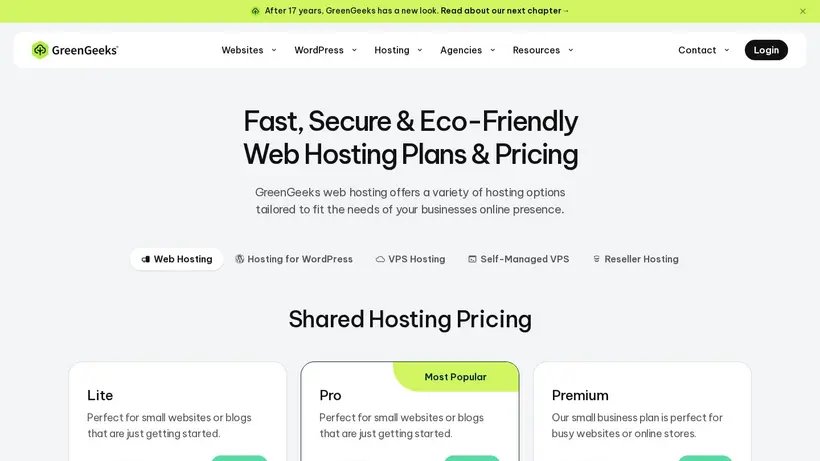
If you are launching a new WordPress site or a small online store, the entry-level WordPress Hosting plan at $2.95 per month is the most logical starting point. It provides the SSD performance and support access you need to get online without a major financial commitment. For businesses that are already established and managing multiple client sites, the Reseller Web Hosting plan at $19.95 per month offers a structured way to keep those projects separate and secure.
If your site experiences high traffic volumes or requires custom server configurations, the VPS Hosting plan at $69.95 per month provides the dedicated resources necessary to maintain fast load times. By matching your current traffic and technical needs to the appropriate plan tier, you can avoid overpaying for resources while ensuring your site has the power to perform reliably.
Who Should Avoid This Provider Entirely
While this provider is an excellent fit for many, it is not the right choice for everyone. If you are operating on a very strict, long-term budget and need absolute certainty about your renewal costs, the lack of published renewal rates in the main promotional materials is a significant drawback. You should avoid this provider if you are unwilling to contact support to clarify these future costs before signing up, as the renewal price hike could disrupt your financial planning.
Additionally, if your business requires specific, verified datacenter locations for regulatory compliance or highly localized latency optimization, the lack of detailed server location data in the public documentation makes this host difficult to recommend. In these cases, you may be better served by a provider that offers transparent, self-service selection of server locations during the checkout process, ensuring your data resides exactly where your business needs it to be.