


Should Simplicity Put This Host on Your Shortlist?
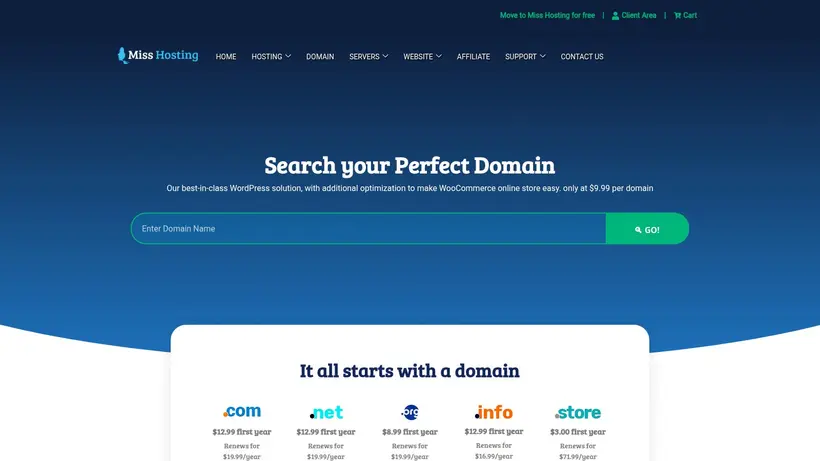
You have a domain idea, a rough page outline, and perhaps a logo waiting in a folder. Then the hosting comparison begins. Suddenly, launching a straightforward website seems to require decisions about applications, email, resource limits, renewal terms, support, and infrastructure. The emotional shift is familiar: excitement becomes checkout anxiety. This MissHosting review asks whether the company’s simplicity-focused proposition can bring that project back under control without hiding questions that matter later.
MissHosting belongs on the initial shortlist for a specific reason. Its web-hosting material centers on an approachable control panel, website creation, file uploads, domain administration, included email accounts, and access to more than 150 applications, with WordPress, Drupal, Joomla, and phpBB named among them. The website builder is presented for people without coding or Photoshop experience. That combination speaks directly to first-time site owners, small organizations, bloggers, and buyers who would rather manage one practical workflow than assemble several disconnected services.
The attraction is not technical novelty. It is a less intimidating path from idea to working website. Imagine a local consultant preparing a simple service site on a Sunday evening. The immediate needs are ordinary: publish pages, connect a domain, create a professional mailbox, and choose a familiar publishing tool. MissHosting addresses those tasks in language that feels accessible. For a nervous first buyer, understandable can be more valuable than impressive.
The hesitation arrives at the next stage. Exact plan prices, billing periods, renewal prices, resource limits, datacenter locations, support routes, security provisions, measured speed results, and uptime commitments are not published in the available details. Those gaps do not make the service unsuitable. They change the buying method. Instead of assuming that an “affordable” or “high performance” description answers every question, you need to confirm the commercial and technical terms that affect your particular site.
This review follows that decision from both sides. First, it identifies the buyers most likely to benefit from MissHosting’s control panel, application access, website builder, email inclusion, and domain management. Then it separates low-risk launch scenarios from projects that require documented capacity or contractual commitments. Finally, it turns the missing details into a practical checkout conversation and uses the stated 45-day customer guarantee as one part of the decision—not as permission to skip due diligence. The short version: MissHosting can simplify the beginning, but the right purchase still depends on what you verify before committing.
Where MissHosting Fits Your Hosting Shortlist
A shortlist becomes useful only when every name has a clear role. Otherwise, you are comparing slogans, unfamiliar terminology, and feature counts without knowing what should influence the purchase. MissHosting’s role is relatively easy to understand: it targets buyers who want hosting to feel manageable while they establish a website, email presence, domain workflow, or familiar content-management system.
That positioning matters at the moment a buyer asks, “Will I actually know what to do after paying?” The company describes a control panel intended to make web-hosting management straightforward. It also connects common ownership tasks: customers can create email addresses, purchase or renew domain names, build a new site, maintain an existing one, upload files, or install common applications. This is a coherent beginner journey rather than a collection of unrelated claims.
Compared with similar hosts, the important question is not which provider uses the strongest superlative. It is which provider matches the work you expect to do. MissHosting looks most persuasive when the work is recognizable, modest in scope, and managed by someone who does not want infrastructure administration to become a second job. Put it on the shortlist for workflow simplicity, not for specifications that have not been published.
First Websites Need Fewer Early Decisions
Picture someone opening a small studio, launching a personal portfolio, or finally publishing a community project. The website is important, but it is not the only responsibility competing for attention. There may be copy to write, images to prepare, customer messages to answer, and a domain name to choose. Hosting becomes frustrating when every simple goal produces another technical dependency.
MissHosting’s beginner proposition reduces that feeling by keeping the early goals concrete. Its hosting can be used to create or upload a website, launch a blog, and work with email. The control panel is described as easy to manage, while the website builder is aimed at people without previous coding or Photoshop experience. For someone who thinks of hosting as “the place where my site lives,” that framing is reassuring. It starts with the outcome rather than requiring the buyer to understand the machinery first.
The useful part is choice without immediate specialization. A buyer can use a website-building route or install a familiar application. More than 150 applications are referenced, including WordPress, Drupal, Joomla, and phpBB. That does not document every installation condition, version, update process, or compatibility detail. It does show that MissHosting’s intended audience is not confined to one proprietary publishing path.
WordPress access is particularly relevant because it lets a buyer choose a familiar ecosystem instead of learning an unknown site platform. A blogger might begin with WordPress. A discussion community may notice phpBB. Someone maintaining an established project could upload existing files. These are different use cases, but they share a practical expectation: the host should help the customer begin without turning setup into an infrastructure project.
The stated five-minute launch language should be read with healthy perspective. It conveys an emphasis on quick setup, not a universal promise that every finished website will be ready within that period. A blank template may appear quickly; a credible business site still needs content, design decisions, domain configuration, legal pages, testing, and perhaps email setup. The software can shorten the first step. It cannot make the creative decisions for you.
This distinction protects a beginner from the wrong expectation while preserving the real benefit. MissHosting appears designed to remove technical hesitation from the starting line. That is useful even if the complete project takes longer. A buyer who has postponed launching because hosting feels too complicated may find the emphasis on a control panel, applications, and no-code site creation especially appealing.
There is also a natural boundary. An experienced infrastructure buyer comparing CPU allocations, RAM, storage architecture, bandwidth allowances, operating systems, virtualization, or network design cannot make that comparison from the published details. MissHosting mentions broader product families, including VPS and cloud services, but plan-level technical specifications are unavailable here. The beginner proposition remains understandable; the infrastructure proposition needs direct confirmation.
Your next step depends on the project’s complexity. If you need a simple site, blog, or basic organizational presence, list the exact tasks you expect to complete during the first week. If those tasks are building or uploading a site, installing WordPress or another named application, connecting a domain, and creating email accounts, MissHosting aligns with the documented workflow. If your list begins with server resources, operating-system access, workload isolation, or deployment architecture, pause and request the missing specifications before placing it above a technically documented alternative.
One Dashboard Can Reduce Ownership Friction
The first launch receives most of the attention, but routine ownership often determines whether hosting feels pleasant six months later. Domains renew. New employees need mailboxes. Content changes. A second site idea appears. Someone forgets where a setting lives. Small administrative tasks accumulate, and every additional account creates another password, billing date, and place where a mistake can happen.
MissHosting’s material connects hosting management with domain purchasing or renewal and email-address creation. Email accounts are described as included with web hosting. That combination can be useful for a small team wanting a recognizable business identity without immediately adding a separate email product to the setup. A consultant could create a personal mailbox and a general contact address. A small organization could give staff individual addresses while maintaining a shared public-facing address.
The emotional benefit is modest but real: fewer loose ends. A buyer no longer needs to wonder whether “website hosting” includes any route to branded email or whether domain administration sits entirely outside the hosting environment. MissHosting’s strongest convenience story is the grouping of ordinary ownership tasks. It is not evidence that every task has unlimited capacity or identical terms. It is evidence that these tasks belong within the intended service experience.
That caveat matters because “included email” can mean different things across hosting products. The available material does not state mailbox quotas, message-size limits, sending policies, spam controls, retention arrangements, or the number of accounts allowed. Similarly, domain purchasing and renewal access does not establish registration prices, renewal pricing, supported extensions, transfer terms, or ownership procedures. Convenience answers the “where”; checkout details must still answer the “how much” and “under what limits.”
Suppose a three-person business wants a public website, a mailbox for each employee, and a general address for customer inquiries. The documented feature set makes MissHosting a reasonable candidate. Before moving forward, that business should ask whether the selected package supports the required number of mailboxes, what storage applies, how domain renewal is billed, and what happens to email if hosting is canceled. Those questions are not signs of distrust. They are normal ownership planning.
The positioning is clearer when compared with a fragmented approach. Separate providers can offer more specialized control, but they also create more administrative boundaries. Keeping domain, hosting, applications, site-building tools, and email near one another may suit an owner who prioritizes simplicity. A technically experienced team might prefer separation for operational or risk-management reasons. Neither preference is universally correct.
Convenience is valuable only when you understand the dependency it creates. If your domain, website, and email are managed through related account tools, account access becomes especially important. Confirm ownership details, renewal procedures, export options, and cancellation effects. Security features and recovery procedures are not described in the available facts, so buyers with strict access-control requirements should ask about them rather than assume.
For a low-complexity project, this due diligence should remain proportionate. You do not need to turn a personal blog into an enterprise procurement exercise. Write down the essentials: domain ownership, mailbox count, application choice, backup expectations, renewal billing, and cancellation access. Ask MissHosting to clarify anything that is not visible at checkout. The goal is not to eliminate every uncertainty; it is to prevent an ordinary convenience from becoming an avoidable surprise.
Common Applications Leave Growth Paths Open
Growth sounds exciting during the first purchase, but buyers often fear choosing a platform they will outgrow. A simple website may later need a blog, discussion area, additional contributors, new pages, or a different publishing workflow. Nobody wants to rebuild merely because the first tool was too restrictive.
MissHosting’s application access offers a practical answer at the software level. The company references installation of more than 150 applications and explicitly names WordPress, Drupal, Joomla, and phpBB. That breadth gives a buyer several established directions. It also makes the hosting proposition more flexible than a builder-only story would be. You can appreciate no-code creation today without assuming it must remain your only route tomorrow.
This is the most credible reason to view MissHosting as more than a temporary beginner platform. The hosting environment is presented as capable of supporting familiar applications, file uploads, new-site creation, and ongoing maintenance. A first-time owner can start simply while retaining the option to work with a common CMS or forum application.
Still, software availability is not the same as documented scaling capacity. An installer can place WordPress on an account; it cannot tell you how many visits the selected plan can handle, how much storage is allocated, whether caching is available, how backups work, or where the servers are located. No measured performance results, resource allocations, network details, or uptime commitment are published here. A growing project therefore needs a checkpoint before traffic, revenue, or operational dependence increases.
Consider a small recipe blog. At launch, the owner mainly needs pages, posts, images, and email. MissHosting’s application and management proposition fits that stage. If the blog later builds a large media library or receives campaign-driven traffic, storage, bandwidth, backup, and performance details become more important. The original hosting decision was not necessarily wrong; the project’s risk profile changed.
The same logic applies to a small business site. A brochure site with contact details has different requirements from an online workflow that directly affects sales. MissHosting’s documented capabilities support building and maintaining websites, but they do not establish readiness for every business-critical workload. Move the verification line forward as the cost of downtime or slow behavior rises.
The alternative question is whether you need flexibility in the publishing application or certainty in the underlying infrastructure. MissHosting gives a clearer answer to the first question than the second. Buyers focused on WordPress, common CMS options, or straightforward site creation can see an accessible route. Buyers evaluating VPS or cloud resources need exact CPU, RAM, storage, bandwidth, operating-system, virtualization, and location information before making a responsible comparison.
That makes shortlist placement simple. Keep MissHosting near the top when your priority is an approachable start with familiar website tools. Keep it provisional when your priority is documented infrastructure. Ask for the selected plan’s limits, backup arrangements, application-management details, and upgrade route. If those answers fit the next stage of your project, the beginner-friendly entry point can remain useful as the site develops. If the answers remain vague, choose a provider whose published technical detail matches the seriousness of the workload.
How To Decide Before MissHosting Checkout
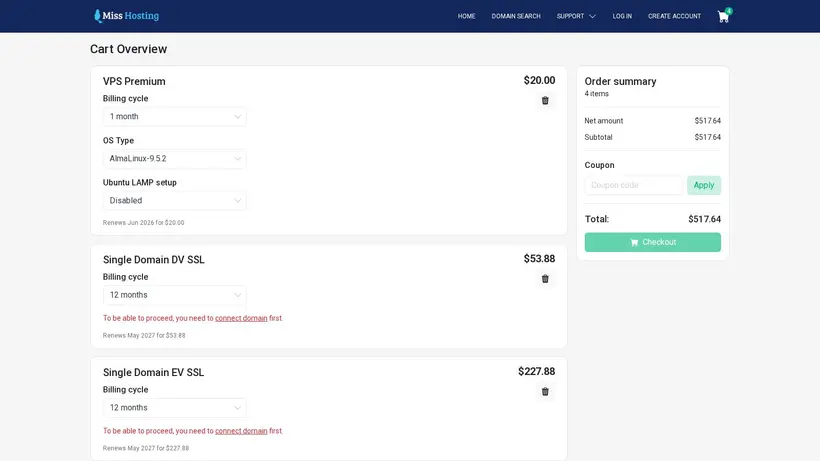
The checkout moment changes the nature of the decision. Browsing is aspirational: you picture the finished site, new inquiries, a professional email address, or a blog finally online. Payment is concrete. You need to know what is being purchased, how long the initial term lasts, what renewal will cost, which limits apply, and where help begins if setup stalls.
MissHosting describes its hosting as affordable and simple, but no exact introductory price, displayed currency, billing period, renewal figure, or setup fee is available in the published facts used here. Named plan tiers and resource allocations are also absent. That means a conventional price-versus-specification comparison would create false precision. The safer buying approach is to compare the documented workflow with your needs, then obtain the missing commercial and technical terms before authorizing payment.
This need not become a hostile interrogation. A short, organized checklist is enough. Ask questions that can change the purchase, not questions collected merely for completeness. A beginner launching a personal site may care most about the final bill, WordPress access, email limits, domain renewal, backups, and the guarantee. A business moving an established site may add migration responsibilities, support escalation, uptime commitments, security controls, and server location. A VPS buyer requires a different conversation again because exact resources and operating conditions determine whether the product is suitable.
The stated 45-day customer guarantee gives web-hosting buyers a useful evaluation window. It can reduce the emotional risk of trying an unfamiliar provider, but its precise scope still deserves confirmation. The published statement describes a 45-day open-purchase period for web hosting. It does not document every exclusion or establish that domains, VPS, cloud services, or other purchases receive identical treatment. A guarantee is helpful. A guarantee you have read is better.
Turn Missing Details Into Checkout Questions
A buyer can react to missing detail in two unhelpful ways. The first is to assume the best because the homepage feels reassuring. The second is to reject the host immediately because every technical field is not visible. A better response is to rank the unknowns according to consequence.
Start with the complete price. Ask for the exact amount displayed in the brand’s billing currency, the billing period attached to that amount, any setup charge, and the renewal price after the first term. “Affordable” expresses positioning; it does not calculate your total cost. If several billing terms appear during checkout, compare the total paid under each one rather than judging only a monthly-looking figure.
Then establish what the selected plan contains. The documented web-hosting proposition includes a control panel, email accounts, application installation, and website-building capability. It does not state storage, bandwidth, site count, mailbox count, mailbox storage, database limits, or other resource ceilings. Ask only for the limits relevant to your project, but get those answers before migrating content or creating many accounts.
A practical checkout checklist should cover:
- The exact first-term total, billing period, setup charges, and renewal total.
- The number of websites, domains, mailboxes, and databases allowed.
- Storage, bandwidth, and any usage policies affecting your expected site.
- Backup creation, retention, restoration, and any restoration charge.
- WordPress or other application installation, updates, and compatibility responsibilities.
- The support route, operating hours, escalation process, and expected handling of urgent issues.
- The server location, applicable uptime commitment, and any contractual SLA.
- The products covered by the 45-day customer guarantee, plus exclusions and cancellation steps.
Not every question has equal weight. A personal portfolio owner may tolerate uncertainty about an SLA but care deeply about preserving a domain and email. A client-services agency may need reliable backup restoration and a clear support route. A shop or booking site may require documented uptime and performance capacity because every disruption affects revenue. Use the consequence of failure to decide what must be confirmed in writing.
Support deserves special attention because MissHosting presents expert support as part of its broader proposition, yet no specific channel, schedule, or response commitment is published. Ask where requests are submitted and what assistance includes. For example, there is a meaningful difference between guidance for installing an application and staff performing a migration or configuration change. Neither level should be assumed.
Security requires the same restraint. No specific security features are documented in the available material. Do not infer malware scanning, managed updates, firewall coverage, account isolation, automated backups, or other controls from general hosting language. If the site collects customer information, supports business operations, or cannot be recreated easily, ask what protections are included and what remains your responsibility.
Location can be irrelevant for a casual project and decisive for another. No datacenter country, region, or city is published here. A buyer with latency, data-residency, contractual, or organizational requirements should obtain that detail before purchase. Someone launching a basic informational site may treat it as a lower-priority question, but should still avoid assuming a particular region.
Performance claims need similarly careful interpretation. MissHosting uses high-performance positioning, but no measured results, uptime percentage, network information, or SLA is available. That leaves no responsible basis for quoting load times or availability. If performance is business-critical, request the applicable commitments and conduct your own evaluation during the eligible guarantee period. If the site is low-risk, begin modestly and monitor the real experience rather than buying capacity based on imagined future traffic.
Finally, save the answers. Checkout pages and promotional wording can change. A written record of the selected product, price, renewal term, limits, guarantee scope, and support expectations provides a cleaner reference if confusion appears later. This is not excessive formality. It is a few minutes of organization before your domain, content, and email become tied to the account.
Match Risk Level To The Purchase
The final decision becomes easier when you stop asking whether MissHosting is universally “good” and ask whether it is sufficiently documented for your particular risk level. A host can suit a first blog and remain unsuitable for a regulated workload. It can simplify a brochure-site launch without being the right choice for a buyer comparing exact VPS resources. Context turns broad praise or criticism into useful guidance.
At the lower-risk end, MissHosting has an appealing profile. A first-time owner wants an uncomplicated control panel, a website builder that does not require coding or Photoshop experience, familiar applications, domain administration, and included email accounts. The website is important, but a short setup delay would not create major financial or contractual damage. For this buyer, the documented workflow may justify moving from shortlist to trial after confirming the final price and basic limits.
Imagine a freelancer launching a five-page portfolio and creating a professional mailbox. The immediate value lies in getting online without learning server administration. WordPress access or the website builder provides a route to publication, while domain and email tasks can remain near the hosting workflow. The buyer should still confirm renewal pricing, mailbox limits, backups, support access, and guarantee conditions. Once those answers are acceptable, demanding enterprise-level infrastructure documentation may add little value to the decision.
A small organization presents a middle-risk case. It may depend on email, publish regular updates, and give several people access. MissHosting’s included email and application options remain useful, but account limits, backup procedures, security controls, support availability, and ownership arrangements matter more. The service can stay on the shortlist; the confirmation threshold rises.
The decisive question is simple: what happens if the website, email, or account becomes unavailable at the wrong moment? If the answer is mild inconvenience, an approachable launch path and the 45-day customer guarantee may provide enough reassurance to try the service. If the answer involves lost sales, missed customer communication, contractual exposure, or difficult recovery, require stronger documentation before migrating.
Revenue-critical sites sit further along that spectrum. No measured performance data, uptime percentage, SLA, network detail, location, or security feature set is published here. A serious commercial buyer should not fill those blanks with optimism. Request the commitments that matter, compare them with the workload, and test the environment before directing important traffic to it. If MissHosting supplies satisfactory terms privately, the decision can proceed. If not, select an alternative with clearer public or contractual documentation.
Infrastructure buyers face the clearest stopping point. MissHosting’s wider positioning references VPS and cloud services, but exact CPU, RAM, storage, bandwidth, operating-system, virtualization, and network specifications are unavailable. Those are not optional details for a VPS or cloud comparison; they define the product. A buyer should not choose based solely on the accessibility of the web-hosting message. Obtain the complete configuration and commercial terms first.
The 45-day customer guarantee strengthens the low- and moderate-risk case, provided the selected web-hosting purchase qualifies under the actual terms. Use that period deliberately. Confirm that the expected applications can be installed, create the necessary email accounts, inspect the control panel, test ordinary publishing tasks, contact support through the available route, review backup options, and verify that the service matches what was promised. Do not wait until the end of the period to discover a fundamental mismatch.
A cautious migration sequence can also reduce risk. Keep an independent copy of site files and data. Avoid canceling an existing service before the new site, domain configuration, and email behavior have been checked. Confirm how cancellation and refunds are requested. These are general safeguards, not MissHosting-specific capabilities, and they matter precisely because migration terms and recovery procedures are not documented here.
The positioning is clearer when the buying choice is framed this way:
- Choose confidently after basic confirmation if you are launching a simple site and mainly value approachable management, common applications, site-building tools, domain administration, and included email.
- Choose conditionally after written answers if several people depend on the site or email, or if backups, support availability, security, and predictable renewals affect operations.
- Slow down and compare documentation if you need measured performance, an published uptime terms, confirmed regional deployment, exact infrastructure specifications, or strict support commitments.
This approach keeps the review positive without turning reassurance into hype. MissHosting has a coherent purpose: help buyers create, upload, and maintain websites without making hosting management feel unnecessarily difficult. Its application access, website builder, email inclusion, and domain workflow all support that purpose. For the right buyer, simplicity is not a minor feature; it is the reason the website finally launches.
The unanswered details prevent an unconditional recommendation. Exact price and renewal terms determine whether “affordable” feels fair. Resource limits determine whether the selected plan fits. Support routes determine how reassurance works in practice. Datacenter, uptime, performance, and security information determine whether a business-critical workload belongs there. None of these should be invented or inferred.
So, should MissHosting remain on your shortlist? Yes, if your priority is an approachable route into web hosting and the confirmed checkout terms match your needs. Beginners, bloggers, small organizations, and buyers wanting website, application, email, and domain tasks within a manageable environment have the clearest reason to consider it. Buyers seeking exact VPS or cloud comparisons, independently documented speed, contractual uptime, or confirmed regional infrastructure should wait for specific answers.
Choose MissHosting for a simpler beginning, then verify the details that govern the second bill and the first serious problem. Confirm the exact plan price, renewal cost, limits, backup arrangements, support route, server location, and guarantee eligibility. If those answers are clear and proportionate to your risk, the service earns a credible shortlist place. If they remain unavailable, the safer alternative is a provider whose commercial and technical documentation matches the importance of your project. Simple launch. Clear questions. Better decision.