
RoseHosting Review: Managed Linux Relief With Checkout Details to Confirm

“

A busy site owner may want to escape Linux server maintenance without replacing technical stress with billing surprises. This RoseHosting review examines its fully managed Linux VPS positioning, free migrations, administrator availability, uptime SLA, and promise that the initial service price will not increase. RoseHosting looks relevant for businesses, CMS operators, and ecommerce teams seeking hands-on server help. The review also identifies what to confirm before checkout, including exact resources, pricing, billing terms, support routes, operating-system control, and the specific data center location.

Last Updated: August 11, 2026
Written by:
Smith Jacqueline
4.6/5
Excellent
Pricing
Linux VPS Hosting $43 .99/mo - $439.99/mo
Dedicated Server $299.99/mo - $1199.99/mo
Server Locations
Midwest Midwest
Quick Navigation

RoseHosting at a Glance

Performance GradeExcellent
Hosting TypesLinux VPS Hosting, Dedicated Server
vCPU2 Xeon Cores
RAM2 GB DDR5 ECC
Storage50 GB PCIe4 NVMe
BandwidthUnlimited
Starting Price $43 .99/mo

RoseHosting Strengths and Trade-Offs for Managed Linux Buyers

Pros

  • Fully managed Linux hosting can reduce routine server administration for lean teams.
  • Free migrations cover customer data, services, and websites.
  • Linux administrators are available around the clock for server assistance.
  • The advertised uptime SLA includes compensation for covered outages.
  • RoseHosting states that the initial service price will not increase.
  • Dedicated VPS resources are not shared with other customers.

Cons

  • Exact plan prices, billing terms, and setup charges require confirmation.
  • CPU, RAM, storage, bandwidth, and network allocations are not published in the available plan information.
  • Managed service may restrict some operating-system changes and increase dependence on support.
  • Only a general US Midwest location is documented, without a city or additional regions.

Should Your Business Choose a RoseHosting Managed Linux VPS?
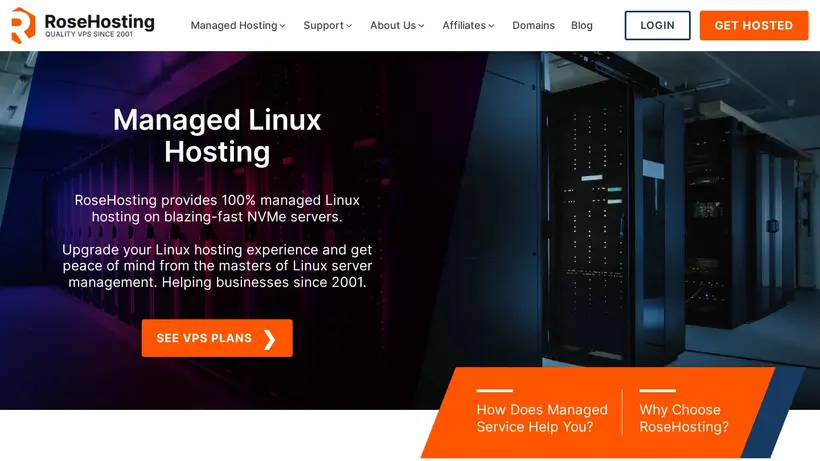
RoseHosting hosting deals homepage promo codes page screenshot

A busy owner rarely changes hosts during a calm week. The decision usually follows a late update, a stubborn configuration problem, or another evening lost to server maintenance. The goal sounds simple: hand Linux administration to someone else. The harder question is whether “managed” hosting will remove real work or merely place every change behind a support request.

This RoseHosting review addresses that trade-off for businesses, CMS publishers, agencies, and ecommerce teams. RoseHosting positions its Linux hosting services as fully managed, with Linux administrators available around the clock to help customers use and configure their servers. It also advertises free migrations for data, services, and websites. For a lean team without a dedicated Linux administrator, the central benefit is operational relief, not another page of technical settings.

The short version: RoseHosting belongs on the shortlist when server administration keeps pulling people away from customers, content, development, or sales. Its managed VPS positioning includes resources allocated to the customer rather than shared with other websites and users. The company also advertises a 100% uptime SLA for managed Linux servers, with compensation equal to ten times the duration of a covered outage under the SLA. Its pricing promise addresses another familiar anxiety: RoseHosting states that the initial service price will not increase.

The purchase still needs a careful checkpoint. Exact plan names, prices, billing terms, setup charges, and CPU, RAM, storage, bandwidth, and network allocations are not published in the available plan information. Specific support channels, operating-system choices, backup terms, security controls, and the precise data center location also require confirmation. RoseHosting identifies local support and data center staff in the US Midwest, but it does not identify a city or additional region.

This review follows two practical decisions. First, which workloads gain the most from managed Linux assistance, migration help, and reduced administrative responsibility? Second, what must be documented before production moves? It also separates published service commitments from open purchase questions. This is a buyer-fit assessment, not a hands-on speed test. No independent benchmark or personal support interaction is claimed. Choose RoseHosting for managed Linux relief, but confirm the exact plan, resources, price, support route, and location before paying.

Choose RoseHosting for These Business Workloads

Picture a small team preparing a launch. The developer is fixing application issues, the owner is reviewing campaign details, and nobody wants another late-night server task. This is the buying moment RoseHosting addresses. Its proposition fits organizations that see Linux administration as necessary work but not a useful destination for internal time. You are buying fewer infrastructure distractions, provided the management scope covers the work your server actually creates.

A managed VPS is not automatically right for every site. A team with experienced system administrators may prefer direct control. A publisher, agency, merchant, or business application owner may value administrator involvement more. The useful test is simple: list the server tasks your team handles today, identify which ones repeatedly interrupt higher-value work, then ask RoseHosting which of those tasks it will own.

Lean Businesses Escaping Server Administration

The clearest fit is a business that needs Linux infrastructure without wanting to staff an internal Linux role. RoseHosting describes all its Linux hosting services as fully managed and says its administrators help customers use and configure their servers. That changes the purchase from “rent server resources” to “obtain resources with operational assistance.” For a busy owner, that difference can matter more than access to another technical control.

Consider a company site connected to forms, customer records, scheduled jobs, or internal services. Nothing may look exotic, yet the environment still needs configuration and troubleshooting. Without an administrator, that work lands on a developer, agency, or owner who already has another priority. RoseHosting makes sense when the hidden cost of self-management is neglected business work.

Administrator availability also gives the buyer an escalation point. Instead of searching documentation while a production task waits, the customer can ask Linux administrators for help. RoseHosting states that these administrators are available around the clock, a useful reassurance for work that does not stop neatly at the end of a local business day.

Still, “fully managed” should become a written task list before checkout. Ask who handles server setup, service configuration, software changes, troubleshooting, monitoring, backups, and restoration. Those boundaries are not fully documented here. Keeping them as questions protects the buyer from assuming that every server task is included.

Control is the other side of the bargain. RoseHosting notes that managed service may prevent customers from changing certain parts of the operating system and can increase dependence on support for basic tasks. An owner seeking guardrails may welcome that. An engineer accustomed to immediate system-level changes may not. Relief and autonomy pull in opposite directions.

Review the server work your company completed recently. If most tasks were interruptions requiring outside help, the managed model probably matches your needs. If most involved custom operating-system changes performed by your own staff, clarify RoseHosting’s restrictions first. The right buyer should feel relieved by administrator involvement, not delayed by it.

CMS Publishers Needing Operational Breathing Room

A CMS owner wants to publish, edit, and grow an audience. Server maintenance appears only when something needs attention, making it unusually disruptive. RoseHosting explicitly positions managed hosting for customers who want to work with a CMS rather than spend their time running a server. That makes it relevant to publishers, membership projects, content teams, and agencies managing client sites.

The emotional problem is familiar: the editorial calendar is full, a campaign is scheduled, and moving hosts feels riskier than tolerating the current setup. RoseHosting advertises free unlimited migrations covering data, services, and websites. Migration assistance can remove the excuse for staying stuck, especially when several sites or supporting services need coordinated attention.

The offer should become a migration plan before production changes. Ask which CMS components and related services can be transferred, what access is required, and how the new environment will be validated. Establish who changes DNS, who checks forms and scheduled tasks, and who approves the final cutover. These are buyer safeguards, not claims about an undocumented RoseHosting workflow.

Agencies may find “unlimited migrations” especially appealing. The practical question is how that wording applies to the actual portfolio. Confirm scope, sequencing, dependencies, timing, and customer responsibilities in writing. Free service reduces financial friction. Clear coordination reduces operational risk.

After migration, the managed relationship may let a publisher keep attention on the CMS rather than the server beneath it. RoseHosting says administrators help customers use and configure their servers. That assistance can close the awkward gap between application work and infrastructure work—the place where non-specialist teams often lose an afternoon.

Resource sizing remains open. Current plan information does not list CPU, RAM, storage, bandwidth, or network quantities. A modest publication, a media-heavy site, and a project with intensive background jobs may need very different allocations. Describe the workload and expected growth, then request a current plan recommendation with exact resources.

RoseHosting states that VPS resources are allocated to the customer rather than shared with other websites and users. That gives a CMS owner a clearer model than ordinary shared hosting. It does not reveal the size of the allocation. Dedicated resources answer the sharing question, not the sizing question.

CMS buyers should also confirm control panel access, backup schedules, retention, restoration responsibility, security controls, and supported operating-system choices. Those details are not published in the available facts. The managed promise starts the conversation; the operating details decide whether the relationship works every day.

Ecommerce Teams Protecting Focus and Continuity

An ecommerce owner experiences infrastructure differently from a casual site owner. A problem can interrupt orders, customer access, or a time-sensitive promotion. Even routine maintenance creates anxiety because availability carries a direct business consequence. RoseHosting explicitly positions its managed servers for ecommerce operations and frames the division of labor clearly: the customer runs the business while the hosting team handles the server.

That model fits a merchant without dedicated infrastructure staff. Developers may understand the application without wanting responsibility for every Linux service beneath it. RoseHosting’s fully managed positioning and administrator availability can create a cleaner division of work. The merchant keeps ownership of the store while the hosting relationship absorbs more server administration.

The advertised uptime SLA adds contractual reassurance. RoseHosting states that managed Linux servers carry a 100% uptime SLA. For covered outages, it describes compensation equal to ten times the downtime duration, subject to the SLA. A store owner should read the complete terms before assigning business value to that promise. Confirm what qualifies as a covered outage, which exclusions apply, how downtime is measured, and how claims work.

An SLA is not a speed benchmark. It does not establish checkout response times, database behavior, regional latency, or capacity during a promotion. No independent performance measurements or network specifications are available here. Bring workload details to the plan conversation: platform, catalog behavior, integrations, database activity, normal demand, peak events, storage needs, and expected growth.

The missing resource allocations matter for a store. Ask RoseHosting which current VPS plan fits the workload, then request its exact CPU, RAM, storage, bandwidth, and network limits. Also ask what happens when the store outgrows that allocation. A reassuring management model cannot replace capacity planning.

Migration deserves stricter coordination too. RoseHosting’s free migration offer can remove substantial technical work, but a merchant should map databases, customer records, payment integrations, scheduled tasks, email dependencies, and the cutover window. Decide how orders created during the transition will be handled. Confirm what testing occurs before traffic moves.

Location may affect the decision. RoseHosting identifies data center staff in the US Midwest, but the exact city, facility, network routes, and any additional regions are not documented. A store mainly serving US customers may find the region plausible. A business serving a distributed audience should confirm the deployment location and evaluate it against customer geography.

For the right merchant, RoseHosting’s appeal is not a claim that nothing will go wrong. It is the prospect of having Linux administrators involved when server work appears, backed by a formal availability commitment. The final decision should wait until resources, migration responsibilities, location, and service boundaries are written down.

Growing Teams Wanting Dedicated VPS Resources

Growth creates an awkward hosting stage. Shared hosting may feel too constrained, while an unmanaged VPS adds responsibilities the team does not want. RoseHosting sits between those outcomes: customer-allocated VPS resources paired with fully managed Linux service. That combination is the strongest reason to consider it when a company wants to leave shared infrastructure without building an operations function.

RoseHosting states that VPS allocations are available to the customer rather than shared with other websites and users. For a buyer worried about neighboring customers consuming shared capacity, that is a useful distinction. The workload receives its own allocation while administrators help manage the environment.

The allocation size remains unknown. No exact CPU, RAM, storage, bandwidth, or network specification is available for the current VPS family. There is also no complete catalog of named tiers. A growing team should request the current plan table and discuss its workload rather than choosing from the “managed VPS” label alone.

Growth planning should include upcoming campaigns, additional sites, larger databases, heavier background jobs, and new ecommerce functions. Ask what signals indicate that resizing is needed and how a service change affects billing. RoseHosting states that the initial service price will not increase, but the available information does not explain how that promise applies to upgrades, add-ons, or plan changes.

This use case also needs an honest control conversation. A team may begin as a management-first buyer, then want more operating-system access as internal expertise grows. RoseHosting’s stated restrictions around certain operating-system changes could become more important later. Confirm which changes customers can make, which require administrator action, and whether the arrangement still fits the company’s expected direction.

Plan choice: the only evidenced family is Managed Linux VPS; no individual tier names or allocations are available. Ask RoseHosting to recommend the smallest current plan that safely supports the documented workload. Require the exact plan name, resources, limits, price, and billing term in writing. This avoids pretending that an unsupported tier can be recommended from incomplete plan data.

For a quick shortlist, RoseHosting fits when dedicated resources and administrator involvement are both requirements. It is less suitable when a buyer needs a published specification matrix before any conversation or considers unrestricted operating-system control nonnegotiable.

Confirm These Details Before Moving Production

The appeal of managed hosting is easy to understand. The harder work is converting reassuring phrases into an order that matches a real workload. Imagine approving a move, then learning that an essential system change follows a different process, the selected allocation is too small, or the deployment location does not fit your audience. Those outcomes are avoidable with a disciplined purchase checkpoint.

RoseHosting gives buyers solid reasons to begin that conversation: fully managed Linux service, administrator availability, free migrations, dedicated VPS resources, an uptime SLA, and a stable-price statement. Important plan fields remain open. Do not reject the shortlist; complete it.

Match Resources to the Actual Workload

Start with the server allocation, not the marketing label. RoseHosting references VPS plans and describes resources allocated to the customer, but exact quantities are not published in the available plan facts. You need current CPU, RAM, storage, bandwidth, and network details before deciding whether a plan fits.

Prepare a short workload brief. Name the application or CMS, database pattern, storage use, normal demand, peak events, scheduled jobs, integrations, and expected growth. Include services that must run beside the main website. If several sites are involved, describe them separately rather than collapsing everything into one estimate.

Ask for the current plan name and every relevant limit in writing. Confirm how resources, storage, bandwidth, and network limits are defined. The dedicated-resource statement is useful, but the buyer still needs quantities. Ownership of an allocation matters only after you know its size.

Discuss change next. Ask how resizing works, whether it requires migration or downtime, and how it affects billing. Those procedures are not documented here, so avoid assuming instant scaling. Performance-sensitive buyers should also remember that RoseHosting’s uptime SLA is an availability commitment, not an independent benchmark.

Backups and security belong in the same conversation. The available facts do not specify a backup schedule, retention period, restoration process, or security feature set. Ask what is included, what is optional, who initiates restoration, and what remains the customer’s responsibility. Never infer these controls from “fully managed.”

Decision point: order a named current plan with exact allocations, defined limits, and a documented growth path. Capacity should be explicit before migration begins.

Define Management Access and Support Boundaries

The next checkpoint concerns how work gets done after activation. RoseHosting says Linux administrators are available around the clock and help customers use and configure their servers. The practical questions are how assistance begins, which tasks are included, and what customers can do independently.

Specific support channels are not published in the available facts. Confirm the route for routine requests and urgent incidents. Ask how authorized users are identified, how priorities are communicated, and how a business-critical issue is escalated. Do not assume phone, chat, email, or ticket access until RoseHosting identifies the current channels.

Create a simple management matrix: customer-controlled, administrator-assisted, unavailable. Include service configuration, software changes, operating-system updates, access management, troubleshooting, monitoring, backup restoration, and incident response. The purpose is not bureaucracy. It is to expose assumptions before they affect production.

The operating-system boundary deserves special attention. RoseHosting acknowledges that customers may be unable to change certain operating-system aspects and may depend on support for basic tasks. For a nontechnical owner, that may be the desired guardrail. For a developer, it may affect deployment habits. Ask what “managed” prevents as carefully as what it includes.

Operating-system choices and control panel details are not published here. Confirm compatibility if the workload requires a particular distribution, version, interface, package, or system configuration. Also ask how routine requests differ from outages and how progress is communicated.

Run a short scenario before buying. Imagine the site behaves unexpectedly during a weekend campaign. Who contacts RoseHosting? Through which channel? Which changes can the customer make immediately? Which require administrator action? Who decides whether the event falls under the SLA? Clear answers make the managed model easier to trust.

The final question is cultural: does your team prefer requesting outcomes or making every system change itself? RoseHosting best serves the first group. Teams in the second group should slow down because support dependence is an acknowledged trade-off.

Lock Down Migration Scope and Timing

Migration is where optimism meets operational reality. RoseHosting advertises free unlimited migrations for customer data, services, and websites. That is a strong reason to move, particularly when transfer work has kept a business with an inconvenient host. Still, “free” describes price. “Unlimited” describes the stated breadth. Neither phrase supplies a project plan.

Begin with an inventory: websites, databases, email dependencies, background services, scheduled jobs, certificates, domains, integrations, and external systems. Identify which items live on the existing server and which are controlled elsewhere.

Give the inventory to RoseHosting and ask which components its administrators will transfer. Confirm required credentials, access windows, customer responsibilities, validation steps, and cutover ownership. If an ecommerce store is involved, define how database changes and orders will be handled during the move.

A migration needs a rollback decision, even when administrators perform the technical work. Decide how the old environment remains available during validation, which conditions pause the cutover, and who approves completion. The available information does not describe RoseHosting’s workflow, so these points must be agreed rather than assumed.

Settle location before data moves. RoseHosting describes local support and data center staff in the US Midwest. No city, state, facility, or additional region is documented. Ask for the exact deployment location and evaluate it against the audience and any organizational requirements.

Confirm timing without presuming a promised duration. A simple site and a multi-service business platform are different projects. The free migration offer remains valuable, but planning should follow a confirmed schedule. After cutover, identify what RoseHosting verifies, what your team tests, and how problems are reported. The relief moment should arrive after validation, not immediately after DNS changes.

Verify Price SLA Location Before Paying

The checkout screen should not be the first place a buyer sees the actual commitment. RoseHosting states that its pricing is transparent and that the initial service price will never increase. That promise can ease renewal anxiety. Stable pricing has planning value once the starting number and boundaries are known.

Exact plan prices, billing periods, setup charges, and plan-level renewal amounts are not published in the available plan information. Request a complete quote naming the plan, initial amount, billing period, setup charges, included services, optional costs, and applicable charges. Ask how the stable-price promise applies if resources, options, or plans change.

Refund terms require separate treatment. RoseHosting describes compensation for covered outages under its SLA, equal to ten times the downtime duration. That is not a published general money-back guarantee. No general refund window is available here. Request cancellation and refund terms separately from the SLA remedy.

The 100% uptime SLA also needs a complete reading. Confirm the covered service, exclusions, measurement method, claim process, and form of compensation. The formula is meaningful, but compensation does not replace the commercial impact of downtime.

Geography is another approval item. Only the US Midwest is documented, with local support and data center staff referenced there. Confirm the city, facility context, and any current location choices. Buyers needing a specific jurisdiction or broader regional selection should not proceed on an assumption.

Methodology: this review matches RoseHosting’s published managed-service commitments to practical buyer needs. It considers management scope, migration assistance, customer-allocated VPS resources, administrator availability, pricing policy, regional disclosure, and SLA terms. It does not claim hands-on testing, independent speed measurements, or undocumented support experiences. Missing plan details remain checkout questions rather than assumed capabilities.

Use one approval sheet before paying:

  • Current plan name, exact price, and billing term.
  • Setup charges, optional costs, and price-change boundaries.
  • CPU, RAM, storage, bandwidth, and network limits.
  • Exact deployment location.
  • Management scope and operating-system restrictions.
  • Support channels and incident escalation route.
  • Migration scope, schedule, validation, and cutover ownership.
  • Backup, security, and restoration responsibilities.
  • Complete uptime SLA, cancellation, and refund terms.

This checklist does not cancel RoseHosting’s appeal. Its managed Linux message is coherent: administrators help use and configure the server, migrations reduce switching work, VPS resources are allocated to the customer, the uptime SLA defines an availability commitment, and the initial service price is stated not to increase.

The buying threshold remains conditional. Choose RoseHosting if administrator involvement feels like relief and your team accepts support as part of daily ownership. Slow down if unrestricted operating-system control, a published specification matrix, documented multi-region choice, or immediate plan-price comparison is essential.

The short version: RoseHosting fits management-first businesses better than control-first infrastructure teams. Its strongest story is the handoff of Linux administration, supported by migration help and stable-price positioning. Its main buying risk is the number of plan details requiring confirmation, not a documented service failure. Complete that confirmation, then decide. Managed relief is worth buying only when the exact service is clear.


Performance: A Strong Promise, Carefully Read 4.5/5

The uncomfortable question arrives during a launch, checkout rush, or client presentation: will the site remain available when attention matters most? RoseHosting answers that anxiety with an advertised 100% uptime SLA for managed Linux servers. Covered outages qualify for compensation equal to ten times the downtime duration under the SLA. That is a meaningful contractual position, especially for a business owner who sees availability as revenue protection rather than a technical statistic. The distinction between an SLA and measured performance still matters. An SLA defines a service commitment and remedy; it does not prove how quickly a WordPress dashboard loads, how an ecommerce store behaves under traffic, or how consistently an application responds from a particular region. No independent benchmarks, latency results, network specifications, or plan-level CPU, RAM, storage, and bandwidth allocations are available here. Those missing details do not erase the commitment, but they limit how precisely a buyer can predict workload performance. RoseHosting also says VPS resources are dedicated rather than shared with other websites and users. For buyers leaving shared hosting, that positioning addresses a familiar worry: another customer should not consume the resources allocated to your VPS. Dedicated resources create a clearer performance foundation, although the amount of each resource must be confirmed before ordering. A content site, busy store, and database-heavy application can require very different allocations. The practical move is simple. Describe your normal traffic, peak events, application stack, storage needs, and expected growth. Ask RoseHosting to identify the appropriate current plan and provide its exact resource limits. Then request the complete SLA terms, including what counts as a covered outage and how compensation is claimed. A bold “100% uptime” statement feels reassuring; the written scope tells you what that reassurance means during a real incident. Location deserves the same measured treatment. RoseHosting identifies local support and data center staff in the US Midwest, but no city, facility list, network route, or additional region is documented. That may suit a US-centered workload, yet buyers serving distant audiences should confirm the specific deployment location before treating geography as settled. The safer conclusion is confidence with verification: the dedicated-resource model and uptime commitment support a positive view, while absent benchmarks and unpublished allocations prevent a stronger performance claim. That balance makes the 4.5 score fair—encouraging for management-first buyers, measured for anyone requiring independently demonstrated speed.

Features: Managed Room for Business Growth 4.6/5

Growth becomes stressful when every new site, campaign, or store function creates another server task. RoseHosting approaches that problem through fully managed Linux hosting rather than a bare VPS handed to the customer. The useful question is not how long the feature list looks. It is whether the included service can remove operational work while preserving enough capacity and control for the next stage of the business.

Management That Keeps Work Moving

RoseHosting states that all its Linux hosting services are fully managed and that Linux administrators help customers use and configure their servers. For a team without an in-house Linux administrator, management is the central product benefit, not a decorative extra. A CMS publisher can concentrate on content; an ecommerce operator can focus on the store; a business owner can avoid making routine server administration another internal role. That positioning also creates a trade-off. RoseHosting notes that managed service may prevent changes to certain parts of the operating system and can make customers more dependent on support for basic tasks. Buyers seeking “managed” relief may welcome that arrangement. Teams wanting unrestricted operating-system control may find it limiting. The right answer depends on whether your priority is autonomy or reduced administration.

Migrations That Lower Switching Anxiety

Moving an established site can feel riskier than staying with an inconvenient host. RoseHosting advertises free unlimited migrations covering customer data, services, and websites. That directly helps agencies, multi-site owners, and businesses worried about coordinating a move. It also makes the service easier to shortlist for CMS and ecommerce workloads, both of which RoseHosting explicitly addresses in its managed-hosting positioning. Confirm the migration scope before scheduling production work. Ask what access RoseHosting needs, which services it can transfer, how cutover is coordinated, and what customer tasks remain. Those process details are not published here. The offer is still valuable, but a migration promise becomes operationally useful only after responsibilities are clear. The VPS model adds another relevant feature: allocated resources are described as dedicated rather than shared with other customers. That gives growing workloads a cleaner resource story than ordinary shared hosting. Exact CPU, RAM, storage, bandwidth, network limits, backup terms, security controls, control panel details, and operating-system choices remain unpublished, however. Growth capacity must therefore be matched to a current plan, not inferred from the VPS label. RoseHosting earns a confident 4.6 for a coherent set of buyer-facing capabilities: fully managed Linux service, administrator assistance, dedicated VPS resources, migration help, and positioning for CMS and ecommerce operations. The small risk is specification visibility. Buyers should treat “fully managed” as a strong starting point, then confirm precisely what is managed, what remains restricted, and which resources support the intended workload.

Ease: Less Server Work, Fewer Moving Parts 4.7/5

Setup friction usually appears at the worst time: DNS changes are pending, a store cannot tolerate a long cutover, and nobody wants to spend the evening rebuilding services. RoseHosting reduces that anxiety by pairing fully managed Linux hosting with free migrations for data, services, and websites. For a buyer leaving self-managed infrastructure, the easiest task may be the one handed to an experienced administrator. The managed-service position matters after migration too. RoseHosting says its Linux administrators help customers use and configure their servers, while all Linux hosting services are described as fully managed. That can make daily ownership feel less like “running a VPS” and more like requesting an outcome. A publisher who wants to work in a CMS, or a store owner trying to keep orders moving, may value that division of labor more than unrestricted system access. Relief, not root-level tinkering, is the attraction. There is an important boundary. Managed hosting can reduce technical work without eliminating purchase decisions. Exact plan names, resource allocations, prices, billing terms, operating-system choices, backup schedules, security features, and control panel details are not published in the available facts. A buyer therefore cannot assume that onboarding is entirely automatic or that every preferred tool is included. Before checkout, ask for the current plan specification and a plain-language explanation of the setup process. A useful pre-migration conversation should cover what RoseHosting will move, what access credentials are needed, how services and websites are checked, how cutover is coordinated, and what the customer must change. Those are questions, not claims about an undocumented workflow. They protect the moment when an appealing “free migration” offer becomes a live business change. Clear ownership prevents last-minute surprises. Operating-system control deserves an equally direct conversation. RoseHosting acknowledges that customers may be unable to change certain operating-system aspects and may rely on support even for basic tasks. That is not automatically a usability flaw. For a management-first buyer, guardrails can remove decisions and reduce maintenance pressure. For a developer who expects unrestricted control, the same arrangement can feel slower or more constrained. The phrase “fully managed” should therefore be read as a service model, not a promise of unlimited autonomy. Specific support channels and control panel details also need confirmation. Administrator availability is documented, but the route used to request work is not. Ask how urgent and routine requests enter the queue, who can authorize changes, and what access the customer retains. A calm dashboard matters; a clear escalation path matters more when the dashboard stops being obvious. The 4.7 score reflects a strong ease-of-ownership proposition rather than a claim about a tested interface. Free migrations and hands-on Linux administration remove two major sources of friction. The measured caveat is visibility: buyers still need a documented onboarding plan, management scope, access model, and current plan details before moving production systems.

Support: Reassurance Built Into the Service 4.7/5

The moment a server stops feeling obvious, a business owner needs more than a help article. RoseHosting positions expert Linux administrators as available around the clock and describes its Linux hosting services as fully managed. That combination speaks directly to teams that want someone accountable for helping use and configure the server. Support is part of the operating model, not merely an emergency fallback.

Administrators Available Around the Clock

RoseHosting states that expert Linux administrators are available 24/7. For an ecommerce operator facing an unexpected server issue or a publisher preparing a time-sensitive release, that availability can reduce the fear of being alone with an unfamiliar system. It supports the perception of “hand-holding support” without requiring the buyer to maintain an internal Linux role. Availability does not identify the contact method. Specific support channels are not published here, so buyers should confirm how requests are submitted and how urgent incidents are distinguished from routine configuration work. Around-the-clock access is reassuring; knowing the exact route makes it actionable.

Managed Help Changes Daily Ownership

The broader value comes from the fully managed service. RoseHosting says administrators help customers with server use and configuration, which can turn recurring Linux work into a supported task. That is especially relevant for lean teams running business sites, CMS installations, or ecommerce operations without dedicated infrastructure staff. Dependence remains the gentle trade-off. RoseHosting notes that managed customers may be unable to change certain operating-system aspects and may need support for basic tasks. A buyer who wants “managed” peace of mind may consider that a fair exchange. A technical team expecting complete autonomy should establish which changes it can perform directly, which require administrator involvement, and what approval process applies.

Migration Help Before the First Crisis

Good support begins before something breaks. RoseHosting advertises free migrations for customer data, services, and websites, reducing one of the most stressful stages of changing hosts. Migration assistance strengthens the support proposition because it gives the relationship a practical starting point: moving the workload safely rather than leaving the customer to improvise. Ask for the migration scope and responsibilities in writing. Confirm what can be transferred, what credentials are required, how validation works, and who handles the final cutover. No detailed migration workflow is documented here, so careful coordination remains necessary. The offer is meaningful; the execution plan must fit your business window. The US Midwest positioning may also appeal to buyers wanting local support and data center staff, although no city or specific facility is identified. Avoid assuming proximity until the exact location is confirmed. Likewise, do not infer phone, chat, email, or ticket availability from the general support promise. A 4.7 score fits the management-first buyer. Administrator availability, fully managed service, configuration help, and migration assistance create a strong reassurance story. The remaining work is straightforward: verify channels, response handling, management boundaries, and escalation procedures before purchase. Support confidence comes from both capable people and a clear way to reach them.

Pricing: Predictability Leads, Details Must Follow 4.6/5

The first bill can look attractive while the renewal creates the real budget problem. RoseHosting addresses that concern with a direct promise: the initial service price will not increase. For businesses tired of temporary discounts and unclear renewal jumps, stable pricing is a meaningful planning advantage. It makes future hosting costs easier to explain internally—once the actual starting price and service terms are confirmed. That last condition matters. Exact plan prices, billing periods, setup charges, and plan-level renewal amounts are not published in the available facts. Buyers cannot yet determine the entry cost or compare resource value from a complete table. The pricing position is therefore positive but incomplete: RoseHosting promises that an established service price stays stable, while the current amount and billing structure still require a direct quote or checkout confirmation.

Stable Pricing Reduces Renewal Anxiety

A “cheap hosting” label often hides the question that matters later: what happens after the introductory period? RoseHosting says there are no tricks to raise the price after the initial payment period and guarantees that the initial service price will not go up. That promise supports long-term budget confidence, particularly for a business that values predictable operating expenses over a dramatic temporary discount. Ask how the promise applies if you resize the VPS, change services, add options, or move to another plan. Those scenarios are not documented here. Also request the billing term and any setup charges before authorizing payment. Price stability is valuable only after the baseline and boundaries are understood.

Managed Value Needs a Complete Quote

Price should be judged against the work included. RoseHosting describes its Linux hosting as fully managed, offers free migrations, makes Linux administrators available around the clock, and assigns dedicated VPS resources rather than shared allocations. Those elements can justify evaluating the service as managed infrastructure instead of comparing it only with a bare server. The better question is total operational value: what administration burden, migration work, and staffing pressure can the service remove? Resource quantities remain essential. Without published CPU, RAM, storage, bandwidth, network, backup, security, and control panel details, buyers cannot calculate value per allocation or know which workload fits the available VPS family. Review the current offer in Product Plans, then obtain the missing specification and price information directly before deciding. The plan table identifies the managed Linux VPS family but correctly avoids presenting an invented starting price. The uptime SLA adds another financial consideration. RoseHosting states that covered outages receive compensation equal to ten times the downtime duration, subject to its SLA. This is service-credit protection for qualifying outages, not a general money-back guarantee. No general refund window is published, so buyers should not treat the SLA remedy as cancellation protection. Request the full SLA and refund terms separately. The 4.6 score reflects a compelling fairness principle rather than proven bargain pricing. RoseHosting offers a reassuring stable-price promise and bundles management-oriented value, but an informed purchase still requires the exact initial price, billing term, included resources, optional costs, and refund conditions. The short version: predictable can be better than promotional, but only when the starting number is clear.

Which RoseHosting Managed VPS Plan Fits Your Workload?

Choosing a managed VPS should begin with the workload, not the sales label. A business site, CMS installation, or ecommerce store needs enough CPU, RAM, storage, and bandwidth for normal demand, peak events, and expected growth. RoseHosting identifies a managed Linux VPS family with dedicated resources, free migrations, administrator assistance, and an uptime SLA, but the available plan information does not publish exact allocations or a complete tier list. Ask RoseHosting to map your actual workload to a named current plan.

Before ordering, request the exact price, billing term, setup charges, resource limits, network terms, operating-system options, management boundaries, support route, backup responsibilities, and deployment location. RoseHosting states that the initial service price will not increase, which may reduce renewal anxiety, but the starting amount and treatment of upgrades or add-ons still need confirmation. Compare the work included as well as the server allocation: fully managed administration and migration help may carry more business value than a bare VPS for a team without Linux staff.

Linux VPS Hosting

NVME 2 VPS

$43 .99/mo
  • vCPU2 Xeon Cores
  • RAM2 GB DDR5 ECC
  • Storage50 GB PCIe4 NVMe
  • BandwidthUnlimited
  • Root AccessYes
Get VPS

NVME 4 VPS

$64.99/mo
  • vCPU3 Xeon Cores
  • RAM4 GB DDR5 ECC
  • Storage80 GB PCIe4 NVMe
  • BandwidthUnlimited
  • Root AccessYes
Get VPS

NVME 8 VPS

$89.99/mo
  • vCPU4 Xeon Cores
  • RAM8 GB DDR5 ECC
  • Storage120 GB PCIe4 NVMe
  • BandwidthUnlimited
  • Root AccessYes
Get VPS

NVME 12 VPS

$129.99/mo
  • vCPU6 Xeon Cores
  • RAM12 GB DDR5 ECC
  • Storage160 GB PCIe4 NVMe
  • BandwidthUnlimited
  • Root AccessYes
Get VPS

NVME 16 VPS

$159.99/mo
  • vCPU8 Xeon Cores
  • RAM16 GB DDR5 ECC
  • Storage200 GB PCIe4 NVMe
  • BandwidthUnlimited
  • Root AccessYes
Get VPS

NVME 24 VPS

$199.99/mo
  • vCPU10 Xeon Cores
  • RAM24 GB DDR5 ECC
  • Storage300 GB PCIe4 NVMe
  • BandwidthUnlimited
  • Root AccessYes
Get VPS

NVME 32 VPS

$239.99/mo
  • vCPU12 Xeon Cores
  • RAM32 GB DDR5 ECC
  • Storage300 GB PCIe4 NVMe
  • BandwidthUnlimited
  • Root AccessYes
Get VPS

NVME 64 VPS

$439.99/mo
  • vCPU12 Xeon Cores
  • RAM64 GB DDR5 ECC
  • Storage400 GB PCIe4 NVMe
  • BandwidthUnlimited
  • Root AccessYes
Get VPS

Dedicated Server

1/4 server

$299.99/mo
  • CPU14 Dedicated CPU
  • RAM24 GB
  • Storage500 GB NVMe
  • BandwidthUnlimited
  • ManagementFully-Managed Service
Get Server

1/3 server

$399.99/mo
  • CPU18 Dedicated CPU
  • RAM32 GB
  • Storage667 GB NVMe
  • BandwidthUnlimited
  • ManagementFully-Managed Service
Get Server

1/2 server

$599.99/mo
  • CPU24 Dedicated CPU
  • RAM48 GB
  • Storage1000 GB NVMe
  • BandwidthUnlimited
  • ManagementFully-Managed Service
Get Server

Full server

$1199.99/mo
  • CPU56 Dedicated CPU
  • RAM96 GB
  • Storage2000 GB NVMe
  • BandwidthUnlimited
  • ManagementFully-Managed Service
Get Server

Managed Linux Relief With Clear Buying Conditions

The short version: yes, RoseHosting is worth shortlisting for management-first Linux buyers. Its value centers on fully managed Linux service, administrator availability around the clock, free migrations, dedicated VPS resources, an uptime SLA, and a promise that the initial service price will not increase. That combination can reduce infrastructure work for a busy owner who would rather focus on customers, content, or store operations.

Best for: businesses without dedicated Linux administrators, CMS publishers, agencies, ecommerce teams, and site owners worried about migration work or later price increases. The evidenced plan choice is the Managed Linux VPS family. Ask RoseHosting to recommend the smallest current plan that safely fits your workload, then obtain its exact CPU, RAM, storage, bandwidth, network limits, price, and billing term in writing.

Not for: teams requiring unrestricted operating-system control, published plan-by-plan specifications before shortlisting, independently measured performance, or documented multi-region deployment choices. RoseHosting acknowledges that managed service may restrict certain operating-system changes and increase reliance on administrators. Only a general US Midwest location is documented.

Review methodology: this assessment compares RoseHosting's published service commitments with practical buyer needs. It considers management scope, migrations, dedicated-resource positioning, administrator availability, pricing policy, location disclosure, and SLA terms. It does not claim hands-on testing or independent speed measurements. Missing plan and operating details remain purchase questions rather than assumed capabilities.

The advertised 100% uptime SLA covers managed Linux servers, with compensation equal to ten times the duration of a covered outage under the SLA. That is an availability commitment, not a general money-back guarantee or proof of application speed. Request the complete SLA, exclusions, measurement rules, and claims process.

Decision point: choose RoseHosting if administrator involvement feels like relief rather than lost control. Before paying, confirm the named plan, exact resources, full price, billing term, migration scope, support route, management boundaries, refund terms, and deployment location. With those details documented, RoseHosting presents a credible managed Linux option for teams seeking less server administration.

Frequently Asked Questions about RoseHosting

RoseHosting centers its offer on managed Linux help. These answers cover fit, migration, pricing, availability, location, control, and checkout checks.

Is RoseHosting suitable for businesses without Linux administrators?
Yes, RoseHosting is a strong shortlist candidate for businesses that need Linux infrastructure but do not employ a dedicated Linux administrator. Its Linux hosting services are described as fully managed, with expert Linux administrators available around the clock to help customers use and configure their servers. That arrangement can reduce routine administration for business sites, CMS projects, and ecommerce operations. The trade-off is greater dependence on the support team. RoseHosting notes that customers may be unable to change certain operating-system aspects themselves. Confirm the exact management boundaries, request process, and customer responsibilities before ordering.
Does RoseHosting include website migrations?
RoseHosting advertises free unlimited migrations covering customer data, services, and websites. That can remove a major obstacle for businesses leaving self-managed infrastructure or an inconvenient host. Before scheduling a production move, ask RoseHosting to confirm which websites, databases, services, and dependencies it will transfer. Establish required credentials, validation responsibilities, cutover ownership, and the process for handling changes made during migration. The available information does not define a detailed migration workflow or completion timeline. Treat the offer as valuable technical assistance, then turn it into a written migration plan matched to your workload.
What does the RoseHosting uptime SLA cover?
RoseHosting advertises a 100% uptime SLA for managed Linux servers. It states that covered outages receive compensation equal to ten times the downtime duration, subject to the SLA. This is a contractual availability commitment, not an independent performance benchmark or a general money-back guarantee. Buyers should read the complete SLA and confirm covered services, exclusions, measurement rules, claim procedures, and the form of compensation. The SLA also does not establish application speed, regional latency, or capacity under traffic. Match the selected VPS resources to your workload separately, then assess the SLA as one part of the overall risk decision.
Will the RoseHosting price increase at renewal?
RoseHosting states that the initial service price will not increase and says it does not use post-introductory price increases. That promise can help businesses seeking predictable recurring costs. Exact plan prices, billing terms, setup charges, and plan-level renewal amounts are not published in the available plan information, however. Request a complete quote showing the current plan name, initial price, billing period, included services, optional costs, and any setup charges. Also ask how the stable-price promise applies after upgrades, added resources, options, or plan changes. Predictability is useful, but the baseline price and its boundaries must be clear before payment.
Where are RoseHosting servers located?
RoseHosting describes its local support and data center staff as located in the US Midwest. The available information does not identify a city, state, facility, network route, or additional deployment region. A US-focused business may find the general region compatible with its audience, but geography should not be treated as settled until RoseHosting confirms the exact location for the selected service. Buyers serving distant audiences, operating under location requirements, or needing several regional choices should ask for current deployment options before ordering. No broader location footprint should be assumed from the documented Midwest statement alone.
Does RoseHosting provide unrestricted operating-system control?
Not necessarily. RoseHosting positions the service as fully managed and notes that customers may be unable to change certain aspects of the operating system. It also acknowledges that managed customers can become more dependent on support for basic tasks. That can be a benefit for owners who want guardrails and administrator involvement, but it may frustrate technical teams expecting unrestricted system control. Operating-system choices are not published in the available information. Before purchase, identify required distributions, versions, packages, services, and configuration changes. Ask which actions customers can perform directly, which require administrator assistance, and which are unavailable under the managed model.
What should I confirm before buying a RoseHosting VPS?
Confirm the current plan name, exact price, billing term, setup charges, CPU, RAM, storage, bandwidth, network limits, and deployment location. Ask about operating-system options, control panel access, backup schedules, retention, restoration responsibilities, security controls, support channels, escalation procedures, and management boundaries. If migrating, document the included systems, required access, validation steps, cutover ownership, and rollback decision. Request the complete uptime SLA plus separate cancellation and refund terms; no general money-back guarantee is published in the available information. RoseHosting has a persuasive management-first proposition, but these details determine whether the exact service fits your workload and operating preferences.

ROSEHOSTING ALTERNATIVES

4.9
  • Starting Price $5.59/mo
4.8
  • Starting Price $11.99/mo
4.7
  • Starting Price $1.00/mo
4.6
  • Starting Price €10.95/mo