


Is Veeble the Right Fit for Your Virtual Infrastructure?
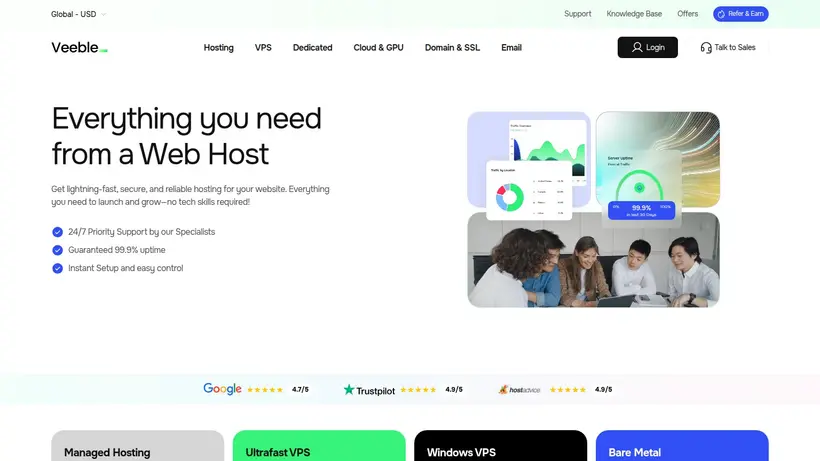
Most buyers start here: staring at a screen filled with dozens of hosting tabs, feeling a familiar sense of checkout anxiety. You know the feeling. You need a virtual private server that can handle your database, run your custom scripts, or host a client site, but you are terrified of the classic budget hosting trap. We have all heard the horror stories of the ultra-cheap VPS that goes offline in the middle of the night, leaving you stranded with a robotic ticketing system that takes three days to reply. You want to avoid paying enterprise-grade prices for a simple project, yet you cannot afford to compromise on basic reliability. This is the exact dilemma that Veeble attempts to solve. By offering a middle ground of highly customizable Linux and Windows VPS configurations alongside managed cloud options, they position themselves as a practical utility for developers, agencies, and growing businesses.
Operating in the hosting space since 2009, Veeble has quietly built an infrastructure that now serves over 70,000 customers across 165 countries. They do not rely on flashy marketing campaigns or empty promises of unlimited everything. Instead, they focus on providing developer-friendly environments, specialized Windows setups with Remote Desktop access, and managed services for those who want to offload server administration. But does this long-standing track record translate into a smooth daily experience for your specific project? Or are there hidden operational trade-offs that you will only discover after you have migrated your data?
In this analysis, we will look past the marketing copy to evaluate the practical reality of hosting your projects with Veeble. We will examine how their network infrastructure performs across their primary geographic regions, analyze the actual responsiveness of their support team when things go wrong, and break down the differences between their self-managed and fully managed tiers. By the end of this guide, you will have a clear, evidence-backed understanding of whether Veeble deserves a spot on your hosting shortlist, or if you should keep looking for an alternative.
Navigating the Virtual Server Shortlist Dilemma
When you are tasked with setting up a new application, the first major decision point is choosing between the absolute control of a self-managed server and the convenience of a managed environment. Most buyers start with the assumption that they can handle everything themselves to save a few dollars, only to realize that security patches, OS updates, and firewall configurations consume hours of valuable development time. Veeble structures their product lineup to address both sides of this coin, allowing you to choose your level of involvement based on your team’s technical expertise and daily availability. That is where the decision gets clearer: you must weigh the cost of your time against the cost of the hosting plan.
For developers who want a clean slate, the self-managed virtual private servers offer an unhindered playground. You get full root access, allowing you to configure the environment down to the individual configuration file. However, if you prefer to focus entirely on writing code or managing your business, their managed tiers shift the operational burden to their internal team. This division of labor is crucial for avoiding the burnout that comes with managing your own infrastructure. Let us look closely at how these different paths compare in practice.
The Raw Power of Self-Managed Tiers
If you are comfortable managing your own server via SSH, Veeble’s self-managed Linux VPS plans provide a highly cost-effective entry point. Starting at just $4.95 per month, these servers give you dedicated resources and complete administrative control. This means you are not sharing CPU cycles or RAM with neighboring sites, which is a common source of frustration on standard shared hosting plans. For developers running modern web applications, having a developer-friendly environment that supports Node.js, Python, and Ruby out of the box is a significant advantage. You do not have to spend hours installing dependencies or fighting restrictive server policies; you can deploy your stack immediately.
The primary trade-off here is that you are entirely responsible for the health of your operating system. If a package update breaks your database connection or a security vulnerability is exposed, you cannot rely on standard support to fix your configuration. This is the classic self-managed bargain: you get maximum freedom and low costs, but you must act as your own system administrator. For experienced developers who want to run custom Docker containers or specialized web servers, this raw access is exactly what is needed. It allows you to build a lean, efficient environment without any pre-installed bloatware slowing down your applications. You can control the kernel parameters, set up custom firewall rules, and optimize the file system to match the exact read/write patterns of your database, which is often impossible on more restrictive managed platforms.
Furthermore, this self-managed approach forces a level of discipline that can benefit long-term project stability. When you know there is no safety net to automatically repair a broken configuration file, you tend to document your setup steps more thoroughly and maintain cleaner deployment scripts. For teams with the technical capability, this is not a burden; it is an opportunity to build a highly optimized, custom-tailored environment that runs exactly the software you need, without paying for licenses or management services you do not use.
When to Pay for Managed Infrastructure
For many businesses, the thought of managing a command-line interface is enough to cause hesitation. This is where the managed VPS plans, starting at $5.95 per month, become highly attractive. For only a slight premium over the self-managed tier, you get access to 24/7 support, automatic updates, and proactive server maintenance. This means the Veeble team handles the routine security patches and operating system updates that keep your server secure, allowing you to focus on your actual website or application. It is a small price to pay for the reassurance that your server is being monitored by professionals.
The next question is how this scales when you move beyond basic virtual machines. If your project grows to require the massive scale of Amazon Web Services, Veeble offers Managed AWS Cloud services starting at $9.95 per month. This service is designed for teams that want the power and global reach of AWS but lack the specialized certified engineers required to manage it efficiently. By placing an expert management layer between you and the AWS console, you get the best of both worlds: enterprise-grade cloud infrastructure without the administrative headache. It turns a complex cloud deployment into a manageable, predictable service.
Choosing the managed route also provides an important buffer against unexpected staff turnover. If your primary developer or system administrator leaves the company, you are not left with a black box server that no one else knows how to maintain. The hosting provider’s team remains the constant operational layer, ensuring that backups continue to run, security patches are applied, and server health is monitored. This continuity is often worth far more than the minor monthly premium, especially for small businesses where technical resources are limited and downtime directly impacts revenue.
The Windows Server and RDP Advantage
Not every project can run on Linux. If your business relies on proprietary Windows applications, ASP.NET frameworks, or remote desktop environments, finding a reliable Windows VPS is often a challenge. Veeble addresses this niche directly with their Windows VPS plans, starting at $15.95 per month. These plans come with full Remote Desktop (RDP) access, providing a familiar graphical interface that makes server management feel just like using your local office computer. This is a major relief for teams that do not want to learn command-line administration but still need the power of a dedicated virtual server.
With RDP access, you can easily install software, manage files, and run background tasks exactly as you would on a physical desktop. This setup is particularly popular for running remote work environments, automated trading software, or hosting Windows-specific databases. Because these plans include unmetered bandwidth, you do not have to worry about unexpected data overage charges when transferring large files or running continuous remote sessions. It provides a stable, predictable environment for Windows-centric workflows, backed by the same underlying hardware reliability as their Linux offerings.
Additionally, hosting Windows applications on a dedicated virtual server ensures that licensing and compatibility issues are minimized. You can run legacy software that requires specific versions of the .NET framework or database engines that are difficult to configure in shared environments. The ability to access the server from any device with an RDP client means your team can work remotely with the same performance and access they would have in the office, making it a highly flexible tool for modern, distributed workforces.
Mapping Your Growth and Risk Mitigation
Choosing a hosting provider is not just about the features you use on day one; it is about ensuring the platform can support your growth over the next several years. The last thing you want is to build your application on a host that cannot scale with you, forcing you to undergo a painful migration process just as your traffic starts to take off. Veeble’s long history in the industry—hosting websites since 2009—suggests they understand the lifecycle of growing projects. They have designed their network and datacenter footprint to allow for seamless transitions as your resource demands increase.
However, growth also brings risk. As your site becomes more important to your business, the cost of downtime increases exponentially. A slow page load or a brief outage can lead to lost sales, frustrated clients, and damaged search engine rankings. To mitigate this risk, you need to look closely at where your data is physically stored and how the provider guarantees the availability of your services. Let us analyze how Veeble structures their physical infrastructure and customer protections to keep your projects safe.
Placing Data Near Your Target Audience
One of the most effective ways to improve the speed of your website is to reduce the physical distance between your server and your visitors. When a user clicks a link, the data must travel through physical fiber-optic cables; the further it has to go, the longer the page takes to load. Veeble helps you optimize this by offering server locations in key connectivity hubs, including the USA, the UK, and the Netherlands. This geographic distribution allows you to target audiences in North America and Europe with minimal latency.
For example, if your primary customer base is in London, hosting your site in their UK datacenter ensures snappy response times. If you are targeting a global audience, placing your resources in the eastern United States or the Netherlands provides excellent routing to both sides of the Atlantic. This choice of location is a simple but powerful tool for optimizing user experience. By selecting the datacenter closest to your users during the checkout process, you can significantly improve your site’s performance without having to optimize a single line of code. It is a foundational decision that sets the stage for all your future optimization efforts.
Moreover, having access to multiple geographic locations is beneficial for compliance and data sovereignty. If you are handling data for European citizens, hosting your applications in the Netherlands datacenter can help you meet local regulatory requirements regarding data storage and privacy. This flexibility allows you to expand your operations into new markets with the confidence that your hosting infrastructure can adapt to local legal frameworks, reducing the administrative complexity of international growth.
The Reality of the Uptime Guarantee
Uptime is the ultimate metric of hosting reliability. A provider can have the fastest servers and the most beautiful control panel, but if your site is offline, none of it matters. Veeble backs their infrastructure with a 99.9% uptime commitment. This is the industry standard for reliable hosting, representing less than nine hours of total downtime per year. For most small businesses, blogs, and development environments, this level of availability is more than sufficient to ensure a consistent online presence.
Their ability to maintain this standard over fifteen years of operation, serving a customer base that spans 165 countries, points to a mature network architecture. They utilize redundant network connections and high-quality hardware to prevent single points of failure from taking down entire server racks. While no host can promise absolute 100% uptime, Veeble’s historical stability provides a reassuring baseline. It allows you to deploy your applications with the confidence that they will remain accessible to your users day and night, freeing you up to focus on building your business rather than monitoring server status.
It is also worth considering that a reliable uptime record reduces the support burden on your own team. When servers are stable, you spend less time answering customer complaints about slow loading times or inaccessible pages. This stability allows your customer service team to focus on helping users rather than managing technical crises, creating a better overall experience for your clients and protecting your brand’s reputation in the marketplace.
Testing the 14-Day Money-Back Safety Net
Even with thorough research, you can never be entirely sure how a hosting provider will fit your workflow until you actually use it. You need to see how the control panel feels, how quickly your applications deploy, and how the network handles your typical traffic. To remove the risk from this trial phase, Veeble offers a 14-day money-back guarantee. This risk-free trial period gives you two full weeks to put their servers through their paces without committing your budget long-term.
If you find that the server performance does not meet your expectations, or if the management interface is too complex for your team, you can request a refund within the first 14 days. This policy acts as an important safety valve for hesitant buyers. It allows you to test their developer-friendly environments or Windows RDP setups with the peace of mind that you can walk away if it is not a perfect fit. However, it is important to use this trial period to clarify any questions about renewal pricing with their support team, as long-term renewal rates are not always displayed upfront on the main plan pages. Taking this step ensures you have a complete picture of your hosting costs before the trial period ends.
This trial period is also the perfect time to test the responsiveness of their support team. You can open a test ticket or initiate a live chat with a technical question to see how quickly and accurately they respond. Evaluating their support during the refund window gives you a realistic preview of the help you will receive when a real emergency occurs, allowing you to make a fully informed decision before your commitment becomes permanent.
Evaluating the Long-Term Infrastructure Decision Safely
Making a final choice on a hosting provider requires looking beyond the initial promotional rates and feature lists. You must consider how the platform fits into your long-term operational strategy, how it handles resource scaling, and how the provider’s policies protect your investment. Most buyers start with a short-term view, focusing only on the immediate setup costs, but the most successful deployments are planned with a multi-year horizon in mind. This means understanding the methodology behind how hosting claims are evaluated and selecting the specific plan that aligns with your project’s technical requirements.
By taking a structured approach to your evaluation, you can avoid the common pitfalls of under-provisioned resources or unexpected billing surprises. Let us look at how we verify these hosting claims and how you can choose the right plan to ensure your projects remain stable and cost-effective over the long haul.
Our Methodology for Verifying Hosting Claims
To provide clear, practical guidance for buyers, we evaluate hosting providers based on verifiable data points rather than marketing claims. We analyze the provider’s documented infrastructure, including datacenter locations, network redundancy, and hardware specifications. We also examine customer feedback trends, historical uptime records, and the specific terms of their service level agreements and refund policies. This structured analysis allows us to assess the reliability and value of the hosting services without relying on subjective opinions or temporary test results.
By focusing on long-term operational history—such as Veeble’s fifteen years of service and their global customer base—we can form a realistic picture of their performance and support quality. We look closely at the balance between self-managed control and managed convenience, ensuring that the scores we assign reflect the actual value delivered to the target audience. This methodology ensures that our recommendations are grounded in practical utility, helping you make a confident decision based on consistent, long-term performance indicators rather than short-term promotional hype.
Selecting the Right Plan for Your Needs
Choosing the right plan is a balance between resource requirements and budget constraints. If you are hosting a basic website or blog, the entry-level WordPress hosting starting at $1.95 per month offers a highly affordable starting point. For agencies or developers managing multiple client sites, the Reseller hosting plans, also starting at $1.95 per month, provide the administrative control needed to manage separate client accounts efficiently. These plans allow you to allocate resources individually, ensuring that each site remains isolated and secure.
For projects that require dedicated resources and full administrative control, the VPS hosting plans are the logical choice. If you have the technical expertise to manage your own server, the self-managed Linux VPS at $4.95 per month offers the best value. However, if you prefer to offload server maintenance and updates, the Managed VPS plan at $5.95 per month is highly recommended, as it includes 24/7 support and proactive maintenance for only a small premium. If your applications require a Windows environment, the Windows VPS plans starting at $15.95 per month provide the necessary RDP access and compatibility. By matching your technical capabilities and resource needs to the appropriate tier, you can optimize your hosting costs while ensuring your applications have the support they need to run reliably.