


WebzPro Review: Can Low-Cost Legacy Hosting Deliver Modern Reliability?
The sudden panic of a client calling at midnight because their website is offline is a feeling every web developer wants to avoid. When you manage multiple client sites, hosting is not just a line item on a spreadsheet; it is the foundation of your professional reputation. If a server goes down, clients do not blame the datacenter—they blame you. This anxiety is amplified when evaluating budget-friendly hosting providers. The market is filled with hosts that offer cheap introductory rates, only to surprise you with massive price hikes at renewal. Alternatively, you might find independent hosts that promise unlimited resources but fail to deliver stable uptime or responsive support when a crisis occurs. This tension brings us to WebzPro, an independent provider that has been offering managed Linux hosting since 2004.
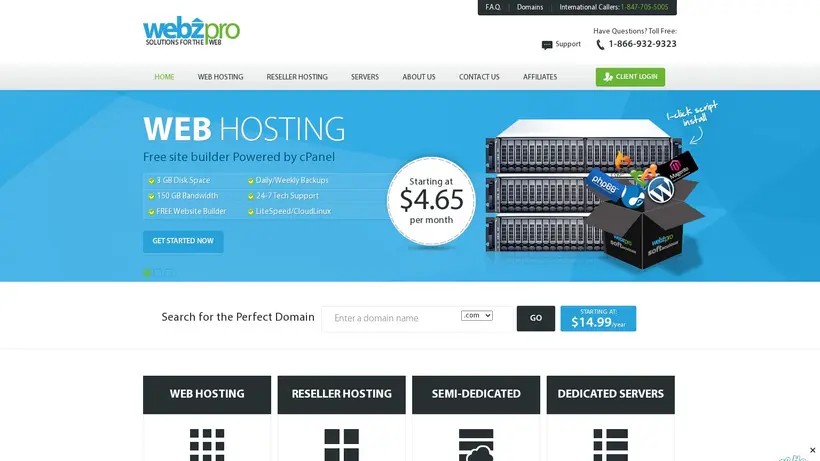
The first bill is only part of the pricing story. When you see a reseller plan priced at $4.65/mo, it is natural to feel skeptical. How can a provider include cPanel, WHM, and Softaculous at that rate without compromising on server stability or support? Value changes when you look past the initial checkout screen and examine how the host handles resource allocation, server monitoring, and technical emergencies. In this WebzPro review, we will evaluate whether this veteran host can deliver the reliability and support needed for production workloads. We will analyze the value of their low-cost reseller and semi-dedicated plans, verify the protection of their 99.9% uptime guarantee, and assess the responsiveness of their 24/7 technical support team. Our goal is to help you determine if WebzPro is a safe, low-risk home for your web projects. By examining their service agreements, resource allocations, and support channels, we aim to give you the confidence to make an informed decision.
The Real Cost of Legacy Reseller Hosting Tiers
The pricing question is always about what you get for your money over the long term. When choosing a reseller host, you are partnering with a provider to deliver services to your own clients. This means their performance directly reflects on your brand. WebzPro has maintained a low-cost, traditional Linux hosting architecture for over two decades. Instead of complex, proprietary cloud environments, they rely on proven industry standards: cPanel, WebHost Manager (WHM), CloudLinux, and CentOS. For traditional web designers and developers, this familiar setup offers straightforward deployment without the learning curve of modern cloud dashboards. However, managing client portfolios on a budget requires a clear understanding of resource limits and licensing costs.
Many modern hosts try to reinvent the wheel with custom control panels that lack basic features or charge extra for essential administrative tools. WebzPro’s decision to stick with cPanel and WHM means you do not have to retrain your staff or rewrite your deployment guides. You get the exact same tools used by the largest hosts in the industry, but at a fraction of the cost. This stability is highly valuable for agencies that want to focus on design and development rather than troubleshooting custom hosting interfaces. Let’s look closer at how these legacy tiers perform in practice.
Navigating the cPanel License Price Squeeze
In recent years, cPanel’s aggressive licensing price increases have forced many hosting providers to raise their rates or abandon WHM entirely. This makes WebzPro’s entry-level reseller tier at $4.65/mo particularly notable. The plan includes cPanel/WHM and the Softaculous script installer, allowing you to partition your account and manage client sites individually. For a small agency, this setup provides a highly cost-effective way to host multiple client websites under a single management umbrella.
However, the pricing question is how they maintain these rates. Because WebzPro does not publish specific storage limits or disk space caps for their reseller packages in their public documentation, you must monitor your resource usage closely. If you host media-heavy sites or large databases, it is wise to clarify these limits with support before migrating. The inclusion of Softaculous is a major time-saver, automating the installation of over 300 scripts, including WordPress and Joomla. This eliminates manual database creation and file uploads, allowing you to deploy new client sites in minutes. For budget-conscious agencies, the ability to offer standard cPanel access to clients without paying high licensing surcharges is a significant advantage.
Furthermore, having WHM access means you retain complete control over your hosting environment. You can create custom packages, set individual bandwidth limits, and manage email accounts for each client. If one client site gets compromised due to an outdated plugin, the account isolation provided by WHM ensures the security breach does not affect the rest of your portfolio. This isolation is a critical security feature that is often missing or poorly implemented on cheap shared hosting plans.
Guaranteed Resources Versus Shared Server Chaos
As client websites grow, they often outgrow the limits of standard shared hosting. If a single site on a shared server experiences a traffic spike, it can consume system resources and slow down every other site on that server. To prevent this “noisy-neighbor” effect, WebzPro offers a Semi-Dedicated plan for $14.95/mo. This plan uses CloudLinux to enforce strict resource boundaries, guaranteeing you 2 full CPU cores and 2GB of RAM.
Having guaranteed resources ensures that database-heavy sites, such as WooCommerce stores or membership portals, remain responsive during traffic surges. The WordPress admin dashboard loads quickly, and database queries execute without throwing resource limit errors. The trade-off is that if your resource needs exceed 2GB of RAM, WebzPro’s upgrade path leads directly to dedicated servers rather than intermediate cloud VPS options. For businesses that need more power than shared hosting but want to avoid the technical complexity of managing an unmanaged VPS, the semi-dedicated tier offers a stable, fully managed middle ground.
CloudLinux also provides detailed resource monitoring tools within cPanel. You can see exactly how much CPU, memory, and I/O your site is consuming in real-time. This transparency helps you identify resource-heavy plugins or database queries that might be slowing down your site. Instead of guessing why your site is slow, you have the data needed to optimize your code or decide when it is time to upgrade your plan.
The Hidden Risks of Missing Location Data
One caveat to consider is that WebzPro does not publicly disclose the specific locations of their datacenters. Physical distance between the server and your target audience affects network latency and page load speeds. If your clients are based in Europe or Asia, but the servers are located in North America, visitors may experience slight delays during initial connection handshakes.
For US-focused projects, this lack of location data is less of a concern because routing across domestic fiber networks is fast. However, for international businesses or projects that require strict regional IP targeting, the absence of geographic choice is a limitation. While you can mitigate latency by using a Content Delivery Network (CDN) to cache static assets, dynamic database requests must still travel to the origin server. If your target market is highly localized outside the US, you should contact support to verify server routing before signing up.
Additionally, some industries have strict data residency requirements that dictate where customer data must be physically stored. If you manage sites for clients in regulated sectors like healthcare or finance, the lack of public datacenter information could be a compliance hurdle. It is always best to get written confirmation of server locations from support to ensure you meet all legal and regulatory standards before migrating any sensitive data.
Deciding Between Managed Hardware and Shared Limits
When your applications require complete isolation, custom software configurations, or high bandwidth, dedicated hardware becomes necessary. However, managing a dedicated server can be a daunting task if you do not have system administration experience. WebzPro addresses this by offering fully managed dedicated servers, ranging from an entry-level option at $20.95/mo to high-end configurations at $209.00/mo.
Many developers are tempted to buy cheap, unmanaged dedicated servers from budget providers, only to find themselves overwhelmed by the technical demands of server maintenance. When a security vulnerability is discovered, or a system service fails, you are responsible for fixing it. If you do not have Linux command-line skills, this can lead to extended downtime and security risks. WebzPro’s managed approach eliminates this burden, allowing you to enjoy the benefits of dedicated hardware without the administrative headaches.
When Fully Managed Dedicated Servers Make Sense
Running a dedicated server without management support can expose your business to security vulnerabilities and configuration errors. WebzPro’s dedicated servers are fully managed, meaning their technical team handles operating system updates, security patches, and hardware monitoring. Their entry-level dedicated plan includes 20TB of outbound public bandwidth and unlimited inbound public bandwidth, making it an affordable option for bandwidth-heavy applications or backup storage.
The pricing question is whether the hardware specs meet your needs. The entry-level plan at $20.95/mo is exceptionally cheap for a managed dedicated server, but it is best suited for lighter workloads, staging environments, or internal tools. For high-performance production databases or enterprise applications, you will need to look at their higher-tier configurations. The real value of their managed service is the savings on IT staffing; you get dedicated resources and server administration support without the cost of hiring a dedicated system administrator.
Furthermore, their support for CentOS and cPanel on dedicated servers means you can manage your server resources using the same familiar interface you use for shared hosting. You can create accounts, manage databases, and configure email routing without ever touching the command line. This makes dedicated hosting accessible to web designers and agencies who want the power of dedicated hardware but prefer a graphical interface for daily management tasks.
Evaluating the Safety Net of Refund Policies
Testing a new hosting provider always comes with the worry that the service will not live up to expectations. WebzPro reduces this risk by offering a 30-day money-back guarantee on all shared hosting services. If you are not satisfied with the performance, ease of use, or support within the first 30 days, you can request a full refund of your monthly hosting fees, no questions asked.
It is important to note that this refund policy applies specifically to shared, reseller, and semi-dedicated services. Dedicated servers, domain registrations, and custom setup fees are typically excluded from money-back guarantees due to non-recoverable provisioning costs. Having a 30-day window for shared services allows you to perform migration tests, evaluate control panel speeds, and interact with support risk-free. If the environment does not fit your workflow, you can cancel and receive a refund without hassle.
This guarantee is particularly reassuring for agencies migrating client sites. You can set up a staging environment on WebzPro, run performance tests, and verify that all your applications run smoothly before pointing your live domains. If you encounter any compatibility issues that cannot be resolved, you can cancel the service and get your money back, ensuring your migration process is completely risk-free.
Who Should Sign Up and Who Should Walk Away
WebzPro is a strong fit for budget-conscious resellers, web designers managing client portfolios, and small businesses looking for low-cost, managed dedicated servers. Their reliance on standard tools like cPanel, WHM, and Softaculous, combined with 24/7 technical support and direct phone access, provides a reliable and familiar environment for traditional PHP/MySQL applications.
However, if you are building modern, cloud-native applications using Docker containers, Node.js, or require advanced git-based deployment workflows, WebzPro is not the right fit. Their infrastructure is optimized for classic Linux hosting configurations. Developers who need root access to configure custom software stacks or those who require specific European or Asian server locations should look elsewhere. Choose WebzPro if you want simple, reliable, and affordable cPanel hosting backed by accessible human support.
Ultimately, the decision comes down to your technical requirements and budget. If you want a host that handles the server administration so you can focus on building websites, WebzPro offers a compelling, low-risk option. But if you need cutting-edge cloud features or global server distribution, you will be better served by a specialized cloud provider.
Navigating Support Channels and Server Administration
When critical server errors occur, support accessibility becomes the single most important factor for site owners. Many contemporary hosting platforms have replaced direct human assistance with automated chatbots and hidden ticket desks. WebzPro maintains a traditional support model, operating a 24/7/365 technical support department that runs around the clock every day of the year. For site owners managing business-critical client portals, having constant access to technical assistance provides essential peace of mind.
Waiting hours for a response when a client’s site is down is incredibly stressful. With WebzPro, the availability of multiple support channels, including direct phone access, helps reduce this anxiety. Let’s look at how their support and administration services function in real-world scenarios.
The Value of 24/7 Server Monitoring
Proactive monitoring prevents minor technical glitches from turning into extended outages. WebzPro maintains on-staff administrators on duty 24 hours a day, 365 days a year, to monitor server health and network stability. Round-the-clock monitoring ensures hardware anomalies, memory surges, or network disruptions are identified and addressed immediately by technical staff. For resellers managing third-party client sites, this proactive oversight protects your agency’s professional reputation, keeping your sites stable without requiring continuous manual monitoring on your part.
This proactive approach means that if a server service fails in the middle of the night, an administrator is already working to restart it. You do not have to submit a ticket and wait for someone to wake up. This level of monitoring is crucial for maintaining the 99.9% uptime guarantee and ensuring that your clients’ sites remain online and accessible to their customers at all times.
CentOS and cPanel Administration Support
Managing server configurations can prove challenging without a background in Linux system administration. WebzPro’s technical team provides direct server administration support across a range of server configurations, recommending CentOS and cPanel environments for optimal stability. Whether you require guidance with email routing, cron job configuration, DNS zone management, or database optimization, their staff provides direct technical assistance. This management support is especially beneficial for organizations running legacy web applications that require ongoing server configuration support.
Because they support a wide variety of configurations, you are not locked into a single setup. If your application requires specific PHP modules or server settings, their team can help you configure the environment to meet your needs. This level of administrative support is often an expensive add-on with other hosts, but WebzPro includes it as part of their managed service, adding significant value to their plans.